
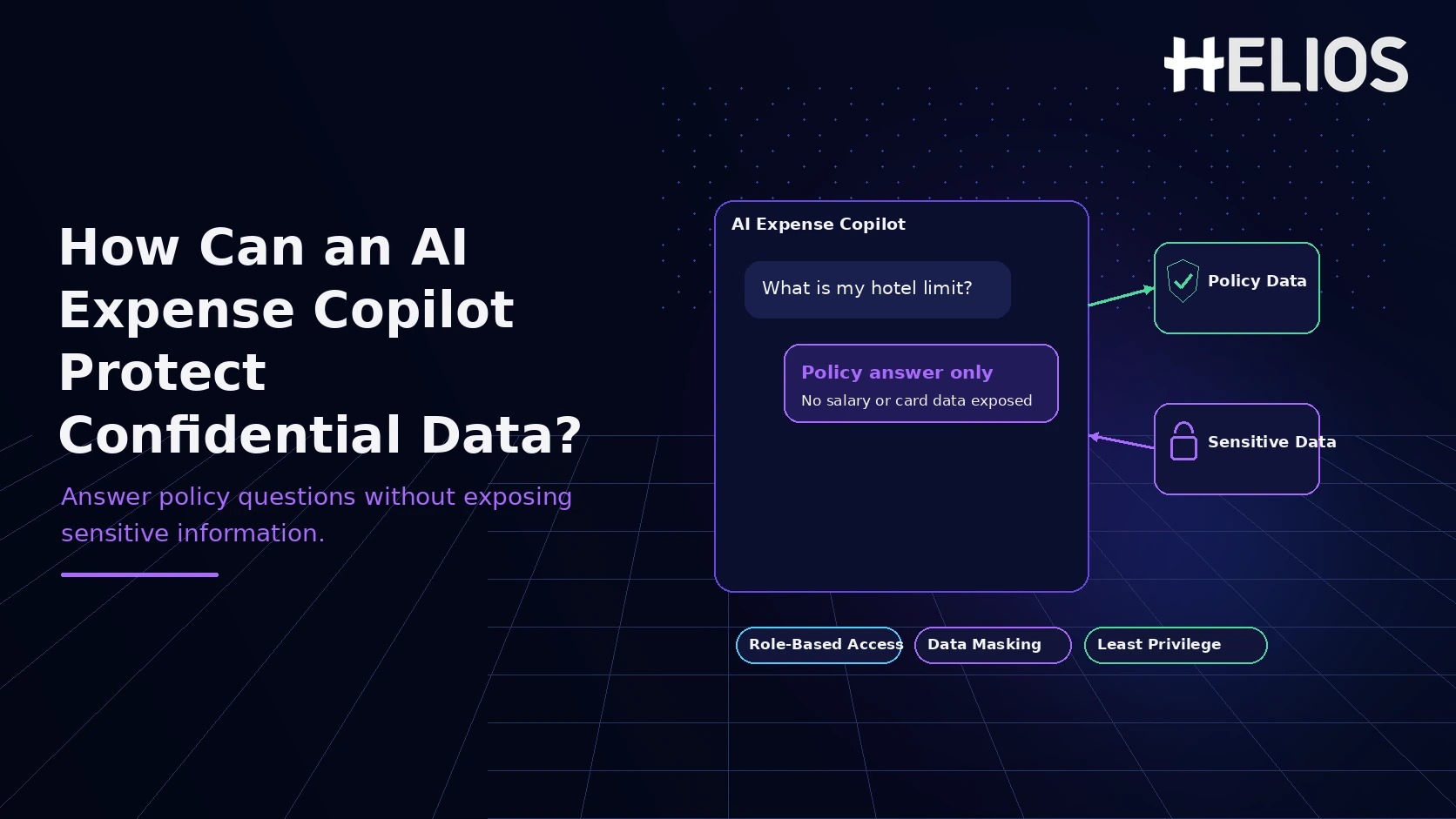
Expense-policy questions often sound harmless: "Can I claim this dinner?", "What is the hotel limit?", or "Why was my reimbursement rejected?" But an AI expense copilot can become a privacy risk if it answers by pulling more employee or financial data than the question actually requires.
The safest design principle is simple: answer the policy question first, use personal data only when it is necessary and authorized, and never expose unrelated records merely because the system can retrieve them. That means combining policy-grounded responses with least-privilege access, data minimization, redaction, careful authorization, and clear escalation paths.
The Short Answer
An AI expense copilot should treat policy knowledge and confidential records as separate layers. General questions should be answered from approved policy sources alone. Personalized questions should use only the minimum employee or transaction data the requester is authorized to see. If the requested detail belongs to another employee, contains restricted financial information, or exceeds the user's role, the copilot should refuse or route the request to an authorized workflow without confirming hidden details.
Why Policy Q&A Can Expose Confidential Data
A traditional policy FAQ usually contains rules, thresholds, definitions, and examples. An AI copilot is more powerful because it may also be connected to expense reports, employee profiles, corporate-card feeds, approval histories, cost centers, travel itineraries, and finance systems. That additional context makes answers more useful, but it also creates a broader data-exposure surface.
The risk is not limited to obvious requests for bank details or card numbers. Sensitive information can leak indirectly. A chatbot might mention another employee's reimbursement amount, reveal that a manager is under review, expose a travel itinerary, identify a high-value vendor relationship, or disclose that a confidential claim exists even while refusing to show the full record.
The design goal is therefore not "give the AI access to everything so it can answer anything." The better goal is "give each answer the smallest amount of trusted information required to satisfy the authorized request."
What Data Does an Expense Copilot Actually Need to Answer a Policy Question?
Most expense-policy questions require much less data than teams initially assume. A question about meal limits, receipt requirements, mileage rules, allowable cabin class, or approval thresholds can usually be answered from policy content plus a small amount of business context such as country, expense category, trip type, or employee level.
| Example question | Minimum data needed | Sensitive data needed? | Safe answer pattern |
| What is the dinner limit in Tokyo? | Policy + location | Usually no | State the limit, conditions, and policy source. |
| Why was my claim rejected? | Policy + requester's claim | Sometimes | Explain the relevant rule and only the requester's permitted claim fields. |
| How much did my teammate spend last month? | Another employee's records | Yes | Do not disclose unless the requester has a valid role and business purpose. |
A privacy-safe copilot minimizes data access by matching each question to the smallest useful context.
Seven Principles for Privacy-Safe AI Expense Policy Answers
- Ground answers in approved policy sources first. For general policy questions, the copilot should begin with a controlled knowledge base: the current travel policy, expense policy, category rules, receipt requirements, approval thresholds, and official exceptions. The response should cite or identify the relevant policy section so the user can verify the answer. This policy-first design reduces the temptation to search employee records simply to answer a rule question.
- Authorize before retrieval, not after generation. The system should decide what the user is allowed to retrieve before sensitive data enters the model context. Role, department, reporting relationship, cost center, geography, and business purpose may all affect authorization. Filtering after the model has already received the full record is weaker than preventing unauthorized records from being retrieved in the first place.
- Use the minimum personal data required for the answer. A user asking "Why was my meal claim rejected?" may require the meal amount, date, category, policy threshold, and rejection reason. The answer usually does not need bank-account details, salary, unrelated travel history, other claims, or another employee's information.
- Redact restricted fields even inside authorized workflows. Some fields should remain masked or omitted from ordinary chat responses even when the user has legitimate access to the surrounding record. Full payment credentials, bank-account details, government identifiers, and other highly sensitive fields should not be echoed back unless a dedicated secure workflow explicitly requires them.
- Do not reveal hidden information through refusals or inference. A refusal can still leak information. The copilot should use role-aware, generic language and resist attempts to reconstruct restricted data through repeated small questions, comparisons, ranges, or aggregate queries.
- Keep conversation history and uploads inside the same access boundary. Screenshots, receipts, invoices, itineraries, and copied expense details should not silently become reusable sources for unrelated users or future sessions. Chat history and attachments should follow the same authorization, retention, and purpose limitations as the original business records.
- Provide a safe next step when the answer requires restricted data. When the user has a legitimate business need but the conversational interface should not reveal the data, the copilot should route the task to an authorized approver, finance reviewer, HR workflow, or secure system screen. Good privacy design preserves task completion while keeping sensitive fields out of general chat.
What Should Safe and Unsafe Policy Answers Look Like?
The goal is not to make the copilot vague. It is to make the answer useful without exposing unnecessary information. The examples below show the difference.
| User question | Unsafe answer | Safer answer |
| Can I claim a client dinner on Sunday? | "Yes. I can see that Sam and Priya both had Sunday client dinners approved last month." | "Yes, if the meal meets the client-entertainment requirements in the applicable policy. I do not need other employees' claims to answer this." |
| Why was my hotel expense rejected? | "Your hotel was $280. Your manager approved $240 for another employee, so yours failed." | "Your claim exceeded the applicable lodging limit. Here is the policy threshold and the exception path available for your own claim." |
How Helios Can Support Privacy-Aware Expense Policy Q&A
Helios combines an enterprise expense-management platform with Spark AI, a conversational AI experience for expense tasks and policy support. Exact data-access rules, retention settings, and security controls should still be validated for each organization's deployment, but three parts of the public product map directly onto the principles above:
- **Service Copilot** as the policy-first front door. Helios describes Service Copilot as providing instant, context-aware answers to policy and travel questions. In a privacy-safe implementation, this is the natural place to answer from approved company rules first, then bring in employee-specific context only when it is genuinely required and permitted.
- **Approval Copilot** for explaining claim outcomes without exposing unrelated records. Helios states that Approval Copilot automatically checks claims against company policy to improve compliance and accelerate review — useful for questions like "Why was this claim flagged?" The safe response explains the relevant rule and the requester's own authorized claim context, not a comparison with named colleagues or unrelated finance data.
- Automated Policy Control for resolving routine questions without exposing back-office records. Helios describes Automated Policy Control as enforcing spending rules automatically. Instead of surfacing raw records to answer "does this qualify," the system can state the applicable rule, whether the current request meets it, and what exception process applies — which is most of what a policy question actually needs.
Two other Helios capabilities matter here as plumbing rather than as the core privacy design: role-aware approval workflows give a legitimate escalation destination when a question turns into a restricted request, and keeping broader analytics separate from employee-facing policy chat is a useful governance boundary — but neither one is what makes a specific answer privacy-safe.
A Simple Privacy-Safe Workflow for Answering Expense Policy Questions
- Classify the question. Determine whether it is a general policy question, a question about the requester's own expense, a request about another person, an aggregate reporting request, or a request for restricted financial data.
- Authenticate the user and resolve permissions. Establish the user's role, organization scope, and relationship to any requested record before retrieving sensitive data.
- Retrieve the smallest useful source set. Start with approved policy content. Add only the minimum permitted employee, trip, claim, or transaction fields required for personalization.
- Apply field-level masking and redaction. Remove restricted identifiers and unnecessary personal or payment data before the information reaches the answer-generation step.
- Generate a policy-grounded answer. State the rule, explain how it applies, identify the source, and avoid referencing unrelated records or hidden facts.
- Escalate when the request exceeds safe scope. Route legitimate exceptions or sensitive record access to an authorized approval, finance, HR, or secure-system workflow.
- Log the decision path. Record the policy source, access decision, and escalation outcome so finance and security teams can review behavior without relying on the conversational transcript alone.
Worked example: a user asks "Why was my taxi claim rejected?" The copilot retrieves the requester's own taxi claim, compares the relevant amount, category, and date with the travel policy, and explains the rejection reason. It should not surface another employee's taxi claims, manager comments unrelated to this decision, card credentials, or other confidential fields. If the employee disputes the result, the copilot routes the claim to the approved exception workflow instead of arguing it out in chat.
Best Practices for Finance, IT, and Security Teams
- Maintain one approved policy knowledge base, with clear document owners, effective dates, and version control.
- Test access controls with adversarial questions — requests for named employees, executives, peers, and cross-department spend.
- Create explicit field classifications: policy content, employee-private data, finance-restricted data, and highly sensitive fields.
- Prefer aggregated or de-identified answers where possible; don't use employee-level detail the business question doesn't require.
- Set thresholds for small-group reporting so users can't infer an individual from a tiny population.
- Mask sensitive fields in both model context and responses — don't rely only on prompt instructions to suppress them.
- Treat chat attachments like system records: apply the same retention and access rules to uploaded receipts, screenshots, and copied text.
- Provide a human challenge path so users can dispute a policy decision without asking the copilot to reveal more data.
- Monitor refusal quality — a safe copilot should neither expose restricted data nor leak its existence through overly specific refusal messages.
FAQ
Should the copilot show the exact data it used to make a decision? It should explain the policy factors that materially affected the answer, but it doesn't need to expose every field it retrieved from connected systems. Transparency should focus on the decision and its source while respecting data classification and access rules.
Is role-based access alone enough to keep this safe? No. Role-based access matters, but it has to be paired with data minimization, field-level restrictions, policy grounding, safe refusal behavior, logging, retention controls, and testing for inference or cross-user leakage — role alone doesn't stop someone from reconstructing restricted data through a series of individually permitted questions.
Can a general employee policy assistant ever discuss another employee's expenses? Only when the requester has a legitimate role, business purpose, and authorized scope for that employee's data — a manager reviewing their own report, for instance. It should never become a casual shortcut around manager, finance, or HR access controls.
The Best Policy Answer Is Helpful Because It Knows What Not to Reveal
An AI expense copilot does not need unlimited access to be useful. In fact, the most trustworthy policy experience is one that can answer ordinary questions quickly while resisting unnecessary access to employee and financial records.
The pattern is straightforward: ground general answers in approved policy content, authorize before retrieving personal records, use the minimum data required, redact restricted fields, avoid cross-employee inference, and escalate sensitive tasks to purpose-built workflows. This gives employees fast answers without turning the chat interface into a new path for confidential-data exposure.
To explore how conversational AI can support expense workflows, visit Helios Spark AI. For enterprise expense control, automated policy enforcement, approval workflows, and reporting, explore the Helios expense management platform. You can also browse the Helios Resources hub for more expense-management insights.