
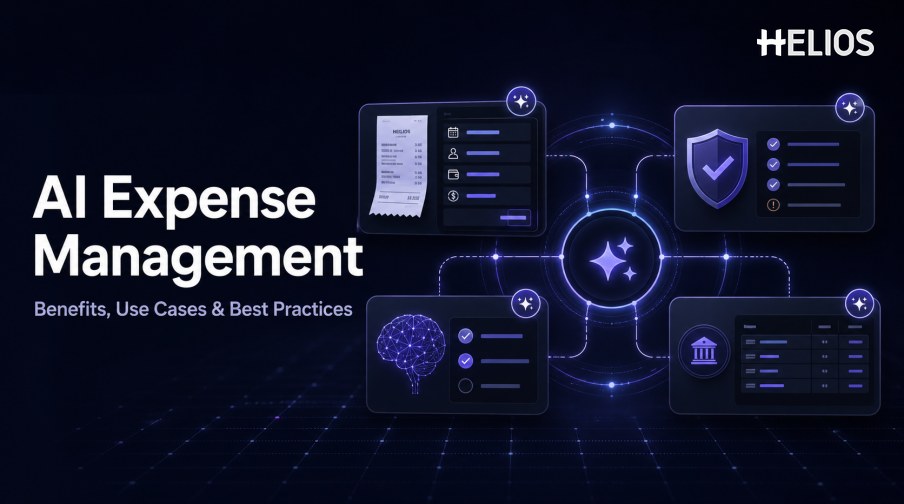
Expense processes generate a steady stream of receipts, invoices, forms, approvals, policy questions, accounting fields, and exceptions. Traditional workflow software can route this information, but employees and finance teams still spend time reading documents, entering data, interpreting rules, reviewing routine claims, and preparing records for accounting. AI can reduce that friction when it is applied to clearly defined expense tasks.
AI expense management combines document intelligence, conversational assistance, pattern analysis, workflow automation, and controlled human review across the expense lifecycle. It can help an employee create a claim, capture receipt data, identify missing information, support policy compliance, prioritize finance review, and prepare approved expenses for accounting. This guide explains how the approach works, where it creates value, and which best practices make AI-powered expense management reliable at enterprise scale.
What Is AI Expense Management?
AI expense management is the use of artificial intelligence within employee expense, reimbursement, approval, finance-review, accounting, and reporting workflows. The technology may include optical character recognition, document understanding, machine learning, natural-language interfaces, and anomaly detection. Its purpose is not to replace the expense management system; it adds interpretation and assistance to the structured process already controlling claims, policies, approvals, and accounting data.
The distinction between AI, rules, and people is important. A rule can require a receipt above a threshold, route a claim by department, or block an invalid cost center. AI can read an uploaded document, suggest a category, summarize an exception, or answer a policy question. A person confirms uncertain data, approves a justified exception, and remains responsible for accounting or control decisions with material financial impact.
In practice, the strongest model combines all three. Deterministic controls protect consistency, AI helps interpret unstructured information, and human oversight handles judgment. This is why AI in expense management should be evaluated as an end-to-end operating workflow rather than as a standalone chatbot or receipt-scanning feature.
Core Capabilities of AI-Powered Expense Management
An AI-powered expense management platform can apply intelligence at several connected stages. The value comes from keeping the captured data, policy result, reviewer decision, approval history, and accounting outcome attached to the same expense record.
- Conversational claim preparation. An employee can describe the expense in natural language, receive prompts for business purpose or participants, attach supporting evidence, and complete required information without navigating every field manually.
- Receipt and invoice intelligence. OCR and document understanding can capture merchant, date, amount, currency, tax, invoice number, and other fields. The system can use those values to prepare the expense line while keeping the original document available for confirmation and review.
- Classification and coding assistance. AI can suggest an expense category, tax treatment, project, client, or other dimension from the document and business context. Suggested values should remain subject to validation, permitted master data, and the organization’s accounting rules.
- Policy compliance support. The workflow can combine structured rules with AI interpretation to check receipt requirements, spending limits, dates, categories, business purpose, attendees, duplicate risk, and other company conditions. Employees may be prompted to correct an issue before submission.
- AI-assisted review and approval. Managers and finance reviewers can receive a concise view of the claim, supporting documents, policy result, and material exceptions. This helps them focus on incomplete, unusual, or higher-risk items rather than rereading every routine claim in the same way.
- Anomaly and duplicate-risk identification. Pattern analysis can highlight repeated receipts, unusual timing, inconsistent amounts, unexpected merchants, or behavior that differs from normal patterns. A flag is a review signal, not proof of an error or misconduct, so the reviewer still needs evidence and context.
- Accounting and reporting assistance. Approved data can be mapped to accounts, entities, cost centers, projects, taxes, currencies, and settlement accounts. AI may assist with access to insights, while controlled mappings and integrations create the accounting handoff and preserve traceability.
How an AI Expense Management Workflow Works
A simple implementation can be understood as one connected flow from evidence to accounting. The exact design will vary by company, but the following sequence shows how AI, automation, and human review can work together:
- Capture the expense. The employee photographs a receipt, uploads a digital document, forwards an invoice, or begins a claim through a conversational assistant.
- Extract and suggest data. AI reads the document and proposes fields such as merchant, date, amount, currency, tax, category, and business context. The employee confirms or corrects the result.
- Validate completeness and policy. Rules check mandatory fields, receipt requirements, limits, dates, categories, duplicates, and other configured controls. AI can help interpret documents or questions that do not fit a simple field comparison.
- Route the claim. The system sends the claim to the appropriate manager, budget owner, finance reviewer, or specialist based on amount, department, role, entity, cost center, project, or exception type.
- Support review and approval. AI summarizes the claim and highlights relevant evidence or exceptions. The authorized reviewer approves, returns, rejects, or escalates the expense according to company policy.
- Prepare accounting records. After approval, controlled mappings create journal-ready debit and credit information, dimensions, tax fields, currency data, and reimbursement or card-clearing references.
- Synchronize, pay, and analyze. The approved record moves to the finance system or reimbursement process. The platform retains transfer status and audit history while reporting provides visibility into spend, exceptions, processing time, and policy performance.
Typical Use Cases for AI in Expense Management
Companies should start with concrete bottlenecks rather than a broad goal to add AI everywhere. Common use cases include:
- High-volume receipt capture. Organizations with many small receipts can reduce repetitive typing while asking employees to confirm only fields that need attention.
- Guided reimbursement claims. Employees receive conversational prompts for required documents, business purpose, attendees, project information, or missing fields before submission.
- Policy questions at the point of action. A service assistant can explain receipt rules, spending limits, eligible categories, or claim status without requiring finance to answer the same questions repeatedly.
- Risk-based finance review. Routine compliant items can move through a lighter review path, while missing documents, policy exceptions, duplicate risk, unusual values, or uncertain classifications receive closer attention.
- Manager approval support. A concise summary helps an approver understand the expense, policy result, budget context, and supporting evidence before making a decision.
- Expense-to-accounting preparation. Validated expense data can feed controlled account and dimension mappings, reducing the need for finance to rekey approved reports before posting.
- Management insight and self-service analysis. Finance leaders can explore spend, exceptions, processing time, categories, entities, departments, or projects with dashboards and natural-language assistance.
Benefits of AI Expense Management
The business case should connect each AI capability to a measurable process outcome. Potential benefits include:
- Less manual entry. Employees and finance teams spend less time copying information from receipts and invoices into expense forms.
- Faster, more complete submission. Auto-filled fields and contextual prompts can reduce missing information and repeated exchanges between employees and reviewers.
- More consistent compliance. Configured controls apply the same receipt, limit, category, and approval requirements across claims, while AI helps interpret supporting information.
- More focused review. Summaries and exception signals help managers and finance teams direct attention to the claims that require judgment.
- Shorter reimbursement cycles. Reducing corrections, queue delays, and manual preparation can help approved claims reach payment faster.
- Better accounting continuity. Validated data, approvals, mappings, and transfer status remain connected, supporting traceability from the posted record back to the original expense.
- More accessible insights. Structured data and conversational assistance can make recurring exceptions, policy patterns, and spending trends easier to explore.
Useful performance measures include claim-preparation time, extraction correction rate, first-pass completeness, policy-exception rate, duplicate alert accuracy, finance review time, approval time, reimbursement cycle time, accounting correction rate, support volume, and user adoption. The objective is measurable operating improvement, not the number of AI features enabled.
Best Practices for AI-Powered Expense Management
AI-powered expense management affects employee experience, financial control, and accounting data, so implementation requires more than switching on a model. The following practices help balance efficiency with reliability:
- Start with a defined expense problem. Choose a use case with meaningful volume, visible friction, and measurable outcomes, such as receipt capture, missing-information reduction, or review prioritization.
- Keep deterministic controls for mandatory rules. Use explicit configuration for receipt thresholds, spending limits, approval authority, required fields, account mappings, and segregation of duties. AI should assist interpretation, not silently override required controls.
- Require confirmation where uncertainty matters. Employees should be able to verify extracted values, and reviewers should see the evidence behind a recommendation. Material exceptions and accounting judgments need appropriate human ownership.
- Design for correction and fallback. Users need an easy way to edit captured data, supply missing documents, explain an exception, challenge a flag, or complete the task when AI assistance is unavailable.
- Preserve an end-to-end audit trail. Record source documents, extracted values, employee edits, policy results, AI assistance, reviewer actions, approvals, accounting mappings, integration status, and later corrections.
- Test representative real-world cases. Include different receipt layouts, image quality, languages, currencies, tax formats, expense categories, missing evidence, duplicates, policy exceptions, refunds, and split allocations.
- Protect sensitive expense data. Review identity, permissions, encryption, retention, data residency, model-data handling, administrator access, and incident processes because expense documents may contain personal, travel, tax, and payment information.
- Monitor quality after launch. Track corrections, false alerts, missed issues, overrides, adoption, processing time, and user feedback. Update policies, master data, prompts, workflows, and training when patterns change.
How to Evaluate an AI Expense Management Platform
A product demonstration should follow a representative expense from capture to accounting rather than showing isolated AI features. Important evaluation questions include:
- Use-case depth. Which tasks are genuinely supported—receipt capture, conversational claims, policy questions, exception review, approval assistance, accounting preparation, or analysis—and what remains manual?
- Accuracy and correction. How does the platform perform on the organization’s receipts, languages, currencies, categories, and exceptions, and how easily can users correct uncertain results?
- Policy and workflow configuration. Can the system support required fields, thresholds, departments, roles, entities, cost centers, projects, exception types, escalations, and approval authority?
- Human oversight. Does the product distinguish suggestions, alerts, automated actions, and final decisions? Can reviewers see the evidence and reasoning context they need?
- Accounting continuity. Can approved expenses generate the required accounts, dimensions, taxes, currencies, settlement logic, references, and journal structure, and can transfer status be reconciled?
- Security and governance. How are access, encryption, retention, data location, model use, audit history, administration, availability, and change control managed?
- Global readiness. Which languages, receipt formats, currencies, entities, local tax fields, country requirements, and regional support models are available?
- Implementation evidence. What policy setup, integration work, testing, training, monitoring, support, and ongoing ownership are required for the intended scope?
Implementation Roadmap
A staged rollout makes it easier to test quality, build trust, and protect downstream finance processes:
- Map the current lifecycle. Document how employees submit expenses, where data is rekeyed, which policy checks occur, how approvals route, how finance reviews claims, and how records reach accounting and payment.
- Define the target use case and baseline. Select the problem to solve and record current processing time, correction rate, exception volume, review effort, and user experience.
- Prepare policies and master data. Clarify receipt rules, limits, categories, employees, departments, entities, cost centers, projects, accounts, taxes, currencies, and approval authority.
- Configure oversight and fallback. Decide which AI outputs require employee confirmation, finance review, documented exception approval, or a manual path.
- Pilot with representative users and expenses. Test ordinary claims and difficult cases across the selected department, entity, region, or expense type before expanding scope.
- Connect accounting and reporting. Validate mappings, balanced entries, integration responses, duplicate-posting controls, reconciliation, audit history, and management reporting.
- Measure, improve, and expand. Compare results with the baseline, correct recurring issues, train users and reviewers, and add new use cases only when the existing workflow is stable.
How Helios and Spark AI Support AI Expense Management
Helios combines mobile expense workflows, receipt intelligence, automated policy control, configurable approval, accounting preparation, and reporting. Together with Spark AI, the platform supports several practical requirements for enterprise AI expense management:
- AI-powered receipt capture. Employees can photograph a receipt or upload an invoice, and OCR extracts relevant information to populate expense details and reduce manual entry.
- Conversational claim and service assistance. Spark AI includes Claim Copilot for conversational expense submission and Service Copilot for policy and travel-related questions, helping users complete tasks through a more natural interaction.
- Policy-aware review and approval. Helios applies automated policy controls, while Approval Copilot helps reviewers examine claims against company requirements and focus on relevant exceptions.
- Flexible workflow and accounting connection. Approval flows can be configured around department, role, or cost center, and approved expense reports can generate accounting entries for downstream finance processing.
- Enterprise reporting and AI support across the lifecycle. Multi-dimensional dashboards and customizable reports provide expense visibility, while Spark AI adds travel, claim, approval, and service copilots that help users complete tasks and access relevant guidance.
Helios also presents itself as an enterprise-grade provider with global experience and information-security credentials. Organizations should still validate the exact receipt formats, languages, currencies, policy rules, approval roles, accounting structures, integrations, data-handling requirements, AI oversight, and implementation scope that apply to their environment. A tailored demonstration using real claims and a controlled pilot are the best ways to confirm fit.
FAQs About AI Expense Management
What is AI expense management?
AI expense management—also described as AI powered expense management—applies document recognition, machine learning, conversational assistance, and pattern analysis to employee expense workflows. It supports claim preparation, receipt capture, policy compliance, review, approval, accounting, and reporting alongside configured rules and human oversight.
How is AI expense management different from expense automation?
Expense automation follows defined instructions such as requiring a field, routing an approval, or generating an accounting entry. AI interprets documents, language, and patterns. A mature platform combines both: rules protect consistency, AI assists interpretation, and people retain responsibility for material decisions.
Can AI read receipts and create expense reports?
Yes. OCR and document-understanding technology can extract merchant, date, amount, currency, tax, invoice number, and other fields, then use them to prepare an expense line. Employees should be able to confirm or correct the captured information before submission.
Can AI check whether an expense complies with policy?
AI can help interpret the claim and supporting document, while configured controls compare the expense with receipt requirements, limits, categories, dates, approvals, and other company rules. Material exceptions should remain visible to an authorized reviewer.
Does AI replace finance review?
No. AI can summarize claims, identify exceptions, and reduce repetitive checking, but finance and managers remain responsible for policy exceptions, sensitive expenses, accounting judgments, overrides, and higher-risk decisions.
What should companies measure after implementation?
Track extraction corrections, first-pass completeness, exception accuracy, review time, approval time, reimbursement cycle time, accounting corrections, user adoption, support volume, overrides, and audit-trail completeness. Compare the results with a pre-launch baseline.
The most effective AI expense management programs connect intelligent assistance with clear policy, controlled approvals, accounting continuity, measurable outcomes, and human accountability. Organizations exploring an enterprise-focused approach can review Helios AI-powered expense management and request a demonstration using their own receipts, policies, approval paths, accounting rules, and reporting requirements.