
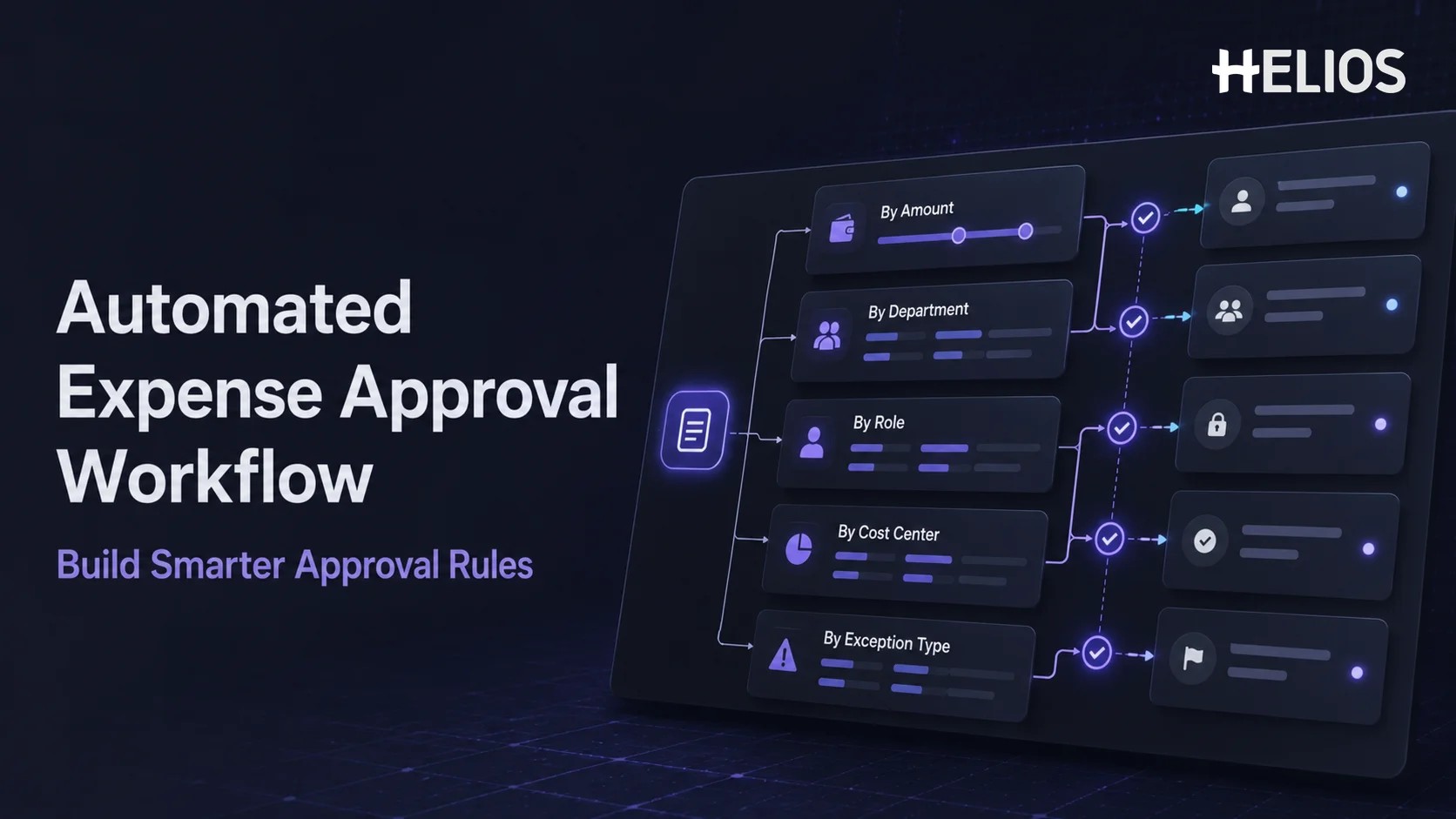
Expense approvals are easy to describe but difficult to scale. A small claim may need only a direct manager, while a larger purchase may require a department head, cost-center owner, finance reviewer, or executive. Missing receipts, out-of-policy items, unusual merchants, and special expense categories can create additional paths that are difficult to manage through email.
An automated approval workflow turns those decisions into clear routing conditions. As part of expense automation, the expense management system reads information already attached to the claim, selects the appropriate path, sends the request to the right people, records each action, and escalates delays or exceptions. This guide explains how to build the workflow using amount, department, position or role, cost center, and exception type without making the approval matrix unnecessarily complex.
What Is an Automated Approval Workflow?
An automated approval workflow is a configurable process that routes a request to the correct reviewer or approver based on defined business conditions. For expenses, those conditions may include the claim amount, employee department, job level, cost center, legal entity, expense category, project, policy result, or exception type.
The system does not decide whether every expense is appropriate by itself. It ensures that the right person receives the right claim with the relevant receipt, policy status, coding, and business context. The approver can approve, reject, return, delegate, or escalate the request, while the workflow preserves a traceable history.
Within expense automation, approval is the bridge between submission and finance processing. Receipt capture and policy checks prepare the claim, the automated approval workflow assigns financial responsibility, and the approved information can continue to reimbursement, accounting, and reporting. A connected expense management system keeps these stages on the same record.
What to Define Before Building the Workflow
Automation should begin with ownership and policy, not a diagram. Before configuring routes, document who is allowed to approve each type of expense, which conditions require additional review, and what should happen when an approver is unavailable or the claim does not match a standard path.
The design team should confirm:
- Approval roles. Identify direct managers, department heads, cost-center owners, project owners, finance reviewers, executives, delegates, and system administrators.
- Reliable employee and organization data. Department, manager, job level, entity, location, and cost-center assignments must be accurate enough to drive routing.
- Amount thresholds. Define approval bands, currencies, exchange-rate treatment, boundary values, and the people responsible at each level.
- Expense and exception categories. Clarify which claims need specialist review, additional documents, finance attention, or senior approval.
- Delegation and escalation rules. Decide how leave, vacancies, overdue actions, unavailable owners, and reassigned employees will be handled.
- Final outcomes. Define approve, reject, return for correction, request information, escalate, and any conditions for reopening a claim.
A useful approval matrix lists the condition, primary approver, additional approver, exception owner, service expectation, delegate, and final action. This becomes the source for system configuration and testing.
Five Core Routing Dimensions for Expense Approvals
Most automated approval workflow designs combine several routing dimensions. Each condition should add a meaningful control or ownership decision rather than another approval step for its own sake.
- Amount. Use thresholds to increase approval authority as financial exposure grows. For example, a direct manager may approve routine low-value claims, while higher bands add a department head, finance leader, or executive. Define whether thresholds use the claim currency or a converted base currency and what happens when the amount equals the boundary.
- Department. Route expenses to the manager or budget owner responsible for the employee’s department. Department-based routing is useful when marketing, sales, operations, technology, and other functions have different approval responsibilities or spending policies.
- Position or role. Use the submitter’s job level, executive status, or organizational role to select an appropriate path. A manager may need approval from a more senior leader rather than approving their own report, while certain roles may require an independent finance check or designated approver.
- Cost center. Send the claim to the owner of the budget being charged, even when that person is outside the employee’s reporting line. Cost-center routing is important for shared services, matrix organizations, project work, and expenses funded by a different department.
- Exception type. Create additional paths for missing receipts, out-of-policy amounts, unusual categories, duplicate-looking claims, late submissions, restricted merchants, sensitive expenses, or other defined exceptions. Different exceptions may require finance, compliance, HR, project, or senior-management attention.
Conditions can be combined. A high-value hotel claim from a sales employee may first reach the direct manager, then the sales cost-center owner, with finance added only if the amount is out of policy or the receipt is missing. The design should be specific enough to assign ownership but simple enough to explain and maintain.
How an Automated Expense Approval Workflow Operates
Once the routing logic is configured, a typical expense approval process works as follows:
- The employee submits a complete expense claim. The report contains the amount, currency, department, position, cost center, category, project, business purpose, receipt, and other information needed by the routing conditions.
- Policy and completeness checks run first. The expense management system checks required fields, receipt thresholds, spending limits, categories, duplicate information, and other company rules. Missing data can be returned before an approver spends time on the claim.
- The system selects the approval path. Routing logic evaluates the amount, department, role, cost center, entity, project, category, and exception status. The system assigns the correct sequence without requiring the employee or finance team to choose approvers manually.
- Approvers receive the relevant context. Each approver sees the claim, receipt, policy status, coding, prior actions, comments, and exception details needed for the decision. The interface should make missing information and unusual items clear.
- The approver acts on the claim. The authorized reviewer approves, rejects, returns, requests information, or delegates the report. AI assistance may summarize evidence or policy context, but the person remains responsible for the decision.
- Reminders, escalation, and fallback rules handle delays. If the approver does not respond, the workflow can send reminders, use a delegate, escalate to another role, or move to a designated backup. The system should never silently skip a required approval.
- The approved record continues to finance and accounting. Finance completes any required review, and approved information can move to reimbursement, accounting entries, and reporting. Receipts, policy results, comments, and approvals remain attached to the expense record.
Benefits of an Automated Approval Workflow
A well-designed workflow improves both processing speed and control. Common benefits include:
- Clear ownership. Every claim is assigned according to defined financial responsibility instead of relying on the employee or finance team to locate an approver.
- Faster approval cycles. Automatic routing, reminders, delegates, and escalation reduce delays caused by email forwarding and manual follow-up.
- More consistent policy treatment. The same conditions trigger the same approval requirements, while exceptions remain visible for judgment and documentation.
- Better budget accountability. Department and cost-center owners review expenses charged to the budgets they manage, even across reporting lines.
- Reduced finance administration. Finance spends less time checking approver names, forwarding claims, sending reminders, and reconstructing approval history.
- Improved employee visibility. Employees can see whether a claim is waiting for a manager, cost-center owner, finance reviewer, correction, or additional approval.
- Stronger audit trails. The expense record preserves the path selected, conditions evaluated, approvers assigned, actions taken, comments, and timestamps.
Useful measures include time to first action, total approval time, overdue rate, reassignment rate, return rate, escalation rate, exception rate, number of approval levels, and percentage of claims requiring manual rerouting. These metrics show whether the workflow is reducing friction or adding unnecessary complexity.
Common Workflow Design Mistakes
Automation can make a poor approval design faster without making it better. Avoid these common mistakes:
- Too many approval levels. Adding reviewers who do not own a budget, policy decision, or material risk slows the process without improving control.
- Overlapping conditions. Ambiguous rules may assign duplicate approvers, create loops, or produce different paths for similar claims.
- Unreliable organization data. Incorrect managers, departments, positions, or cost-center owners cause routing failures even when the workflow logic is correct.
- No fallback owner. A route that depends on a vacant role, inactive user, or unmapped cost center can leave claims permanently pending.
- Treating every exception the same. A missing receipt, high amount, sensitive category, and possible duplicate may need different owners and evidence.
- Ignoring currency and entity logic. Amount thresholds and approver authority may differ by base currency, legal entity, country, or local policy.
- No change governance. Approval matrices become inaccurate when reorganizations, promotions, new cost centers, or policy updates are not reflected promptly.
- Insufficient testing. A workflow may appear correct for routine claims but fail under delegation, multiple exceptions, threshold boundaries, or cross-department funding.
How to Choose an Expense Management System for Approval Automation
Evaluate the platform with real approval scenarios. Include different amounts, departments, employee levels, cost centers, currencies, entities, exceptions, delegates, and unavailable approvers. The system should make both the routing logic and the final action history understandable.
- Configurable conditions. Confirm support for amount, department, role, cost center, entity, project, category, policy result, and exception-based routing.
- Multi-level and parallel approvals. Check sequential approvals, parallel reviewers, additional levels, independent review, and rules for when all or one approval is required.
- Delegation and escalation. Review temporary delegates, backup roles, reminder schedules, overdue escalation, and the treatment of inactive users.
- Policy integration. The automated approval workflow should use the same receipt, spending, category, and exception results as the rest of expense automation.
- Reviewer experience. Approvers need receipts, policy context, coding, comments, history, and mobile or web actions without extensive navigation.
- Finance controls. Confirm segregation of duties, self-approval prevention, coding corrections, additional review, final finance checks, and reopening rules.
- Integration and master data. Check connections with HR, identity, accounting, ERP, travel, card, and other systems that provide employees, roles, cost centers, or financial dimensions.
- Reporting and audit history. Finance should be able to report on status, approval time, exceptions, overdue actions, rerouting, delegates, and completed decisions.
- Security and regional fit. Review permissions, authentication, retention, currencies, entities, languages, tax requirements, data residency, and enterprise security credentials.
- Implementation and support. Ask how the approval matrix will be configured, tested, documented, launched, monitored, and maintained after organizational changes.
Implementation Checklist
A controlled expense automation implementation should move from policy design to tested production routing. Use the following checklist:
- Map the current process and owners. Document every standard and exceptional route, including finance review and final accounting handoff.
- Clean employee and cost-center data. Confirm managers, roles, departments, entities, positions, owners, delegates, and active-user status.
- Build the approval matrix. Record each amount band, department, position, cost center, exception type, sequence, fallback, and final outcome.
- Configure the simplest valid routes first. Start with routine claims, then add higher-value, cross-functional, and exception paths in controlled stages.
- Test boundary and failure cases. Include exact threshold values, multiple currencies, missing owners, inactive approvers, delegates, overlapping exceptions, returns, and reopened claims.
- Pilot with real users. Include employees, managers, cost-center owners, finance reviewers, accountants, system owners, and representative departments.
- Measure and govern changes. Track approval performance and establish ownership for future policy, organization, threshold, and workflow updates.
How Helios Supports Automated Expense Approvals
Helios combines employee submission, policy control, configurable approval paths, finance processing, accounting automation, reporting, and AI assistance in one expense environment. Its capabilities address several priorities for approval automation:
- Configurable approval workflows. Organizations can build approval paths around departments, roles, cost centers, and other business requirements, helping each claim reach the appropriate owner.
- Automated policy control. Helios can check expenses against company spending rules and identify missing information or policy exceptions that may require correction or additional review.
- Mobile submission and approval. Employees and approvers can complete expense tasks through a mobile-first experience, reducing delays when users are away from a desk.
- AI-assisted claim review. Approval Copilot helps reviewers evaluate reimbursement documents, policy context, and review results while keeping the authorized user involved in the decision.
- AI support across the expense lifecycle.** **Spark AI includes claim, approval, travel, and service copilots that help users submit expenses, review claims, and ask policy or service questions through natural conversation.
Helios also presents itself as an enterprise-grade provider with global experience and information security credentials. Organizations should still confirm amount thresholds, currency logic, exception routing, integration coverage, segregation of duties, local requirements, reporting, and implementation scope against their own approval matrix. A tailored demonstration and pilot are the best ways to validate the workflow.
FAQs About Automated Expense Approval Workflows
What is an automated approval workflow?
It is a configurable process that routes an expense claim to the correct reviewer or approver based on business conditions such as amount, department, position, cost center, entity, category, or exception type. The system records each action and status.
How should amount-based expense approvals be configured?
Define clear approval bands, the responsible role at each level, whether thresholds use claim or base currency, how exact boundary values are treated, and when higher-value claims require sequential or additional approval.
How do department, role, and cost-center approvals work together?
Department routing follows organizational ownership, role routing accounts for job level or authority, and cost-center routing follows the budget being charged. A workflow can combine them while avoiding duplicate approvers and unnecessary levels.
How should an expense workflow handle exceptions?
Different exception types should follow defined paths. Missing receipts may return to the employee, policy excesses may require finance or senior approval, and sensitive or duplicate-looking claims may need specialist review. The reason and final decision should remain recorded.
What should businesses look for in an expense management system?
Prioritize configurable routing, policy integration, multi-level approvals, delegation, escalation, self-approval prevention, reviewer context, finance controls, master-data integration, reporting, audit history, security, regional fit, and implementation support.
The best approval design assigns real financial ownership without adding unnecessary steps. Organizations evaluating an enterprise-focused expense platform can explore Helios automated approvals and request a demonstration based on their own amount, department, role, cost-center, exception, finance, and accounting requirements.