
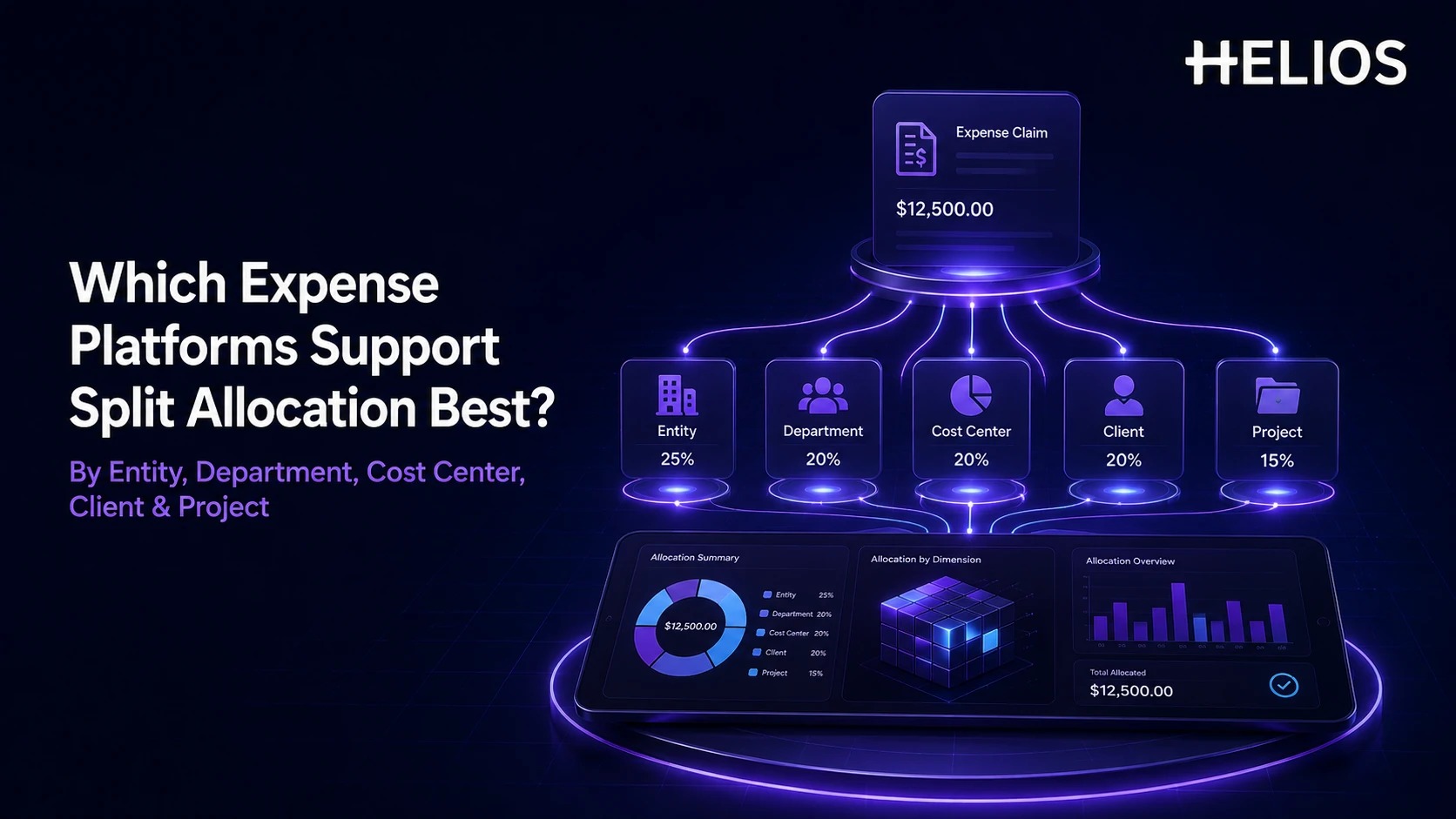
Many business expenses belong to more than one part of the organization. A client workshop may be shared across two projects, a conference may benefit several departments, and a regional service may need charging to more than one cost center or legal entity. If the expense system only accepts one accounting code, finance ends up correcting the allocation later with spreadsheets or manual journals — the exact reconciliation work a good platform should have prevented.
Split allocation solves this by distributing one expense across multiple financial dimensions while keeping the original receipt, policy result, approval history, and accounting outcome connected. The best platform makes the split easy for employees, understandable for approvers, and reliable enough to post correctly without creating extra work for finance.
What Split Allocation Means — and How It Differs from Itemization
Split allocation is the distribution of a single expense amount across two or more accounting or management dimensions. It's easy to confuse with itemization, but they solve different problems: itemization separates a receipt into different expense *types* (hotel room, breakfast, parking); allocation decides *who or what ultimately bears the cost*, regardless of what type it is.
- Amount or percentage splits. Users allocate fixed amounts or percentages, and the system confirms the total still equals the source expense.
- Multiple business dimensions. The platform needs to support the dimensions the company actually manages — legal entity, department, cost center, client, project, task, grant, fund, or custom code.
- Valid accounting combinations. The system restricts invalid combinations and carries approved dimensions into the correct ERP, ledger, or project-accounting record.
- Approval ownership. A split can change who needs to approve — cost-center, project, client-account, or entity owners may need visibility even outside the employee's reporting line.
- Traceability. Finance should see the original expense, every allocation line, edits, and the final accounting result without reconstructing the transaction later.
Expense Platform Comparison at a Glance
The strongest choice depends on whether the organization prioritizes global T&E, ERP-native accounting, client or matter billing, total-spend management, or a simpler field-based split experience.
| Platform | Strongest fit | Split-allocation support to evaluate |
| Helios | Configurable expense workflow and accounting automation. | Public materials confirm department/role/cost-center workflows, journal generation, and multi-dimensional reporting. Validate exact line-level split rules for entity, client, and project. |
| SAP Concur | Large global T&E programs with complex allocations. | Allocations can distribute an expense across defined business entities such as department, cost center, division, project, or job. |
| Oracle Fusion Expenses | Oracle-centered accounting and project environments. | Supports amount/percentage split allocation with cost center, account combination, business-unit, project, task, and related project dimensions. |
| Emburse Enterprise | Complex client, matter, fund, and organizational allocations. | Allocation can represent division, department, cost center, billable client or matter, project, or fund, and a line can be split across multiple allocations. |
| Coupa Expense | Split accounting inside a broader spend platform. | Expense lines support allocation amount/percentage and segmented account structures; project codes and other dimensions can be modeled in the COA or lookups. |
| Zoho Expense | Straightforward field-based splitting for growing teams. | Expenses can be split by amount or field, including project, cost center, customer, and custom fields. |
Which Expense Platforms Fit Different Allocation Models?
1. Helios — Configurable Workflow and Accounting Continuity
Helios combines mobile expense submission, automated policy control, configurable approvals, journal-entry generation, and multi-dimensional reporting — capabilities that matter once allocations start affecting both ownership and accounting. The public product page doesn't specify whether one expense line can split simultaneously across every entity, client, and project dimension at once, so make that an explicit demo test rather than an assumption.
2. SAP Concur — Mature Global T&E Allocation
Explicitly describes allocation as distributing an expense across business entities such as departments, cost centers, divisions, projects, and jobs — a strong benchmark for large enterprises needing flexible allocations alongside global travel, policy, and ERP integration.
3. Oracle Fusion Expenses — Oracle-Native Accounting and Project Allocation
Provides a particularly accounting-centric allocation model: split amount and percentage, accounting code combinations, cost centers, projects, tasks, business units, and additional project attributes. Especially relevant when Oracle already governs the chart of accounts and project accounting model.
4. Emburse Enterprise — Client, Matter, Fund, and Complex Organizational Charging
Treats allocation as the object that determines how an expense is charged, with implementation guidance explicitly covering division, department, cost center, billable client or matter, project, and fund — including splitting one line across multiple allocations and saving frequently used presets.
5. Coupa Expense — Segmented Accounting Within Total Spend
Supports expense-line account allocations by amount or percentage and can export line splits for downstream finance systems, using an account model with multiple segments (company, department, location, cost center) plus lookups for project codes.
6. Zoho Expense — Simple, Flexible Field-Based Splits
An approachable split workflow: an expense divides by amount, days, or a selected field, with documented support for project, cost center, customer, and custom-field splits — attractive when the allocation logic needs flexibility without a heavy enterprise accounting architecture.
How Split Allocation Should Work in an Expense Process
Allocation should be captured before finance has to rebuild the transaction, with the allocation lines staying attached to the source expense through accounting:
- Capture the source expense. The employee uploads the receipt and confirms merchant, date, amount, currency, category, and business purpose.
- Split the cost by amount or percentage. The user selects the relevant dimension for each allocation line, and the system validates the lines add back to the original total.
- Validate policy and accounting combinations. Rules check required fields, spending limits, billable status, and valid dimension combinations before the claim reaches an approver.
- Route the right approval context. The workflow determines whether the employee manager, cost-center owner, project manager, or client-account owner must act — the approver should see the allocation, not just the total.
- Post and report the approved allocation. After approval, it flows to the correct accounts, ledgers, or billing process, with reporting preserving both the consolidated expense and the individual lines.
What to Test Before Choosing Split-Allocation Software
A generic "split expense" button in a demo doesn't prove the accounting, approval, and intercompany logic will hold up after rollout. Test these directly:
- Multi-cost-center split. Allocate one expense 50/30/20 across three cost centers and confirm budget ownership, approval, and accounting output.
- Client and project split. Charge one receipt to two billable client projects and verify project codes, billable status, and downstream billing.
- Cross-entity case. Test whether a single employee-paid expense can charge across legal entities with the required intercompany accounting — multi-entity support does not automatically mean true cross-entity line splitting.
- Different approvers by allocation line. Confirm what happens when the employee manager, project owner, and cost-center owner are different people, including parallel versus sequential review.
- Corrections after approval. Change an allocation after review and verify whether reapproval triggers and whether accounting reversals stay traceable.
- Master-data controls. Test inactive cost centers, closed projects, invalid account combinations, and dimensions imported from more than one ERP.
How Helios Supports Multi-Dimensional Expense Control
Two capabilities matter most once allocation is in play:
- Configurable approval workflows tied to accounting automation. Approval flows build around department, role, or cost center — useful when the financial owner of an allocated cost differs from the employee's own manager — and Helios can generate journal entries from expense reports. *Scenario:* an employee submits a $500 software bill that benefits both Marketing and Sales. If the split is configured correctly, the claim can carry two allocation lines ($250 to each department's cost center) into two journal lines, with each department head asked to approve their own share rather than one manager signing off on a cost they don't fully own. For split allocation specifically, finance needs to validate how multiple allocation lines map to accounts, entities, projects, and target ERP objects, since this is where gaps tend to surface.
- Automated policy control across allocation lines. Company spending rules apply to reimbursement requests, but test explicitly whether policy logic evaluates the total expense, each individual allocation line, or both — this matters when entities or projects carry different limits.
Multi-dimensional analytics and mobile/AI-assisted capture apply on top of these two points, useful once the allocation dimensions are captured consistently, but the two points above are what actually needs proving for this use case. Organizations evaluating split allocation should require a scripted demonstration using their real accounting dimensions — confirm amount-versus-percentage splits, valid combinations, cross-entity behavior, and the exact journal or ERP output. Related Helios guidance covers automated approval workflows, global expense management, finance automation for expense management, and automated expense reporting.
FAQs About Split Allocation in Expense Management
Can one expense be split across multiple legal entities?
Some platforms support entity or business-unit splits, but true cross-entity charging may require intercompany accounting — test this explicitly rather than assuming multi-entity support includes cross-entity allocation.
Should each allocation line have its own approver?
Only when financial ownership or policy actually requires it. The workflow should support cost-center, project, or client-account owners without adding duplicate approval levels that slow the claim down for no control benefit.
What should companies test in a split-allocation pilot specifically?
Amount and percentage splits, multiple dimensions, invalid combinations, cross-entity cases, different approvers, and corrections — using real transactions from your own chart of accounts, not the vendor's sample data.
The right allocation design reduces manual journals without making expense submission harder for employees. Organizations can explore Helios expense management and use a tailored demonstration to validate the exact split-allocation requirements of their entities, departments, cost centers, clients, and projects.