
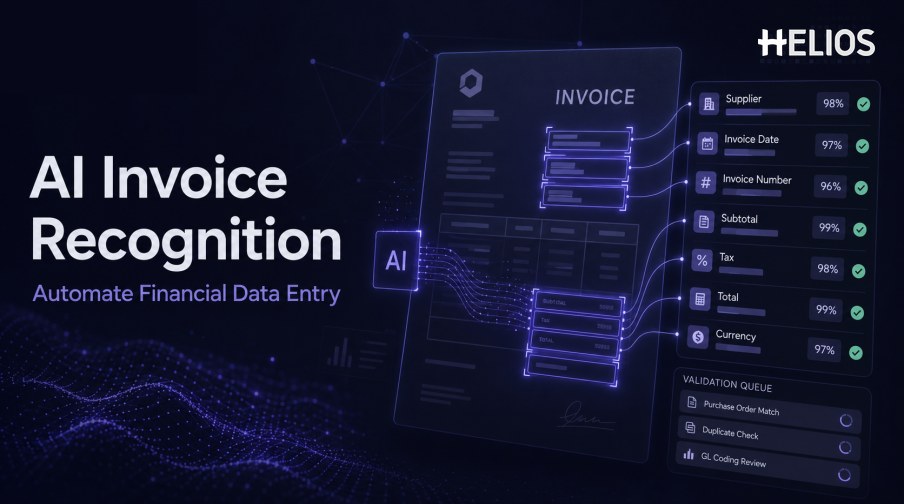
Financial data entry often begins with unstructured documents. An invoice may contain the right supplier, date, reference, amount, currency, tax, and line details, but those values are arranged for human reading rather than for an expense or accounting system. Finance teams then retype the same information, compare it with the image, and correct inconsistent formats.
AI invoice recognition uses OCR, layout understanding, field models, and validation logic to convert invoice content into structured data. AI is useful when suppliers use different layouts or when the same field appears in different locations and formats. It can reduce manual entry, but it should not silently replace financial controls or human responsibility for uncertain values and accounting decisions.
This guide explains how AI identifies invoice fields, validates the output, and moves confirmed information into expense review and accounting. It also describes how Helios OCR reduces repeated data entry within a controlled expense workflow.
What Is AI Invoice Recognition?
AI invoice recognition is the use of machine-learning and document-understanding techniques to identify invoice information and return structured fields. OCR supplies the visible text, while AI helps interpret layout, labels, field relationships, tables, and variations between document designs.
The technology can propose a supplier name even when the label is absent, distinguish an invoice date from a due date, relate a tax amount to a tax rate, and identify the total among several monetary values. The output should include source location and confidence so users can understand and correct the proposal.
Which Financial Fields Can AI Extract?
Common fields include:
- Supplier identity. Name, address, tax identifier, registration number, and other supplier references.
- Document identifiers. Invoice number, document type, purchase-order reference, contract reference, and payment reference.
- Dates and terms. Invoice date, service date, due date, posting date, and payment terms.
- Amounts and currency. Subtotal, discount, surcharge, tax, total, paid amount, balance, and currency.
- Tax data. Tax rates, tax amounts, tax categories, registration numbers, and regional tax fields.
- Line items. Description, quantity, unit, unit price, discount, tax, and line total.
- Suggested workflow context. Expense category, entity, cost center, project, account, or exception type when supported by configured data and controls.
How AI Invoice Recognition Automates Data Entry
A controlled data-entry workflow can follow these stages:
- Receive the invoice. The user photographs a document or uploads a supported PDF, scan, or image.
- Improve image quality. The system corrects orientation, crop, contrast, noise, perspective, and page boundaries where possible.
- Read text and layout. OCR identifies text, while layout analysis records lines, blocks, tables, and coordinates.
- Predict business fields. AI proposes supplier, dates, identifiers, currency, amounts, taxes, and line-level information.
- Normalize the values. Dates, decimal separators, currency codes, tax formats, and identifiers are converted to defined system formats.
- Validate relationships. Rules compare required fields, totals, tax, master data, duplicates, dates, currencies, and policy conditions.
- Request human confirmation. Low-confidence, conflicting, missing, or material values are presented with source evidence for review.
- Populate the downstream record. Confirmed data enters the expense report, approval, accounting mapping, reimbursement, and reporting workflow.
Validation, Anomaly Signals, and Human Review
AI output needs more than a confidence score. A financially reliable workflow combines model confidence with deterministic rules, business context, and authorized review.
- Source evidence. Show the invoice region that supports each proposed field.
- Field-level confidence. Use separate confidence for supplier, dates, identifiers, amounts, tax, and line items.
- Arithmetic validation. Check subtotal, discounts, tax, and total against defined tolerances.
- Master-data comparison. Compare supplier, employee, entity, currency, account, and tax values with controlled records.
- Duplicate and anomaly signals. Flag repeated documents, conflicting values, unusual amounts, missing fields, and other configured patterns.
- Review ownership. Assign exceptions by amount, entity, field, risk, or workflow role.
- Correction feedback. Record the recognized value, correction, reviewer, reason, and result for monitoring and improvement.
How AI Invoice Recognition Reduces Finance Work
Value comes from removing repeated handling across the entire process.
- Less retyping. Finance users start with populated fields instead of copying values from the document.
- Faster first-pass review. Required fields, source evidence, confidence, and validation results appear together.
- More consistent formatting. Normalized dates, currencies, taxes, and identifiers reduce downstream cleanup.
- Earlier exception detection. Missing information, arithmetic conflicts, duplicate signals, and policy issues can be identified before accounting.
- Better accounting continuity. Approved data passes through controlled mappings instead of being rekeyed into a finance system.
- Stronger audit history. The source document, AI result, user correction, validation, approval, and accounting outcome remain connected.
Best Practices for Implementing AI Invoice Recognition
Implementation should be measured against the previous manual process.
- Define high-risk fields. Identify values that affect reimbursement, tax, payment, accounting, or compliance and require stricter review.
- Test representative invoices. Include languages, currencies, tax formats, line items, multi-page files, rare layouts, and difficult images.
- Use deterministic controls where possible. Required fields, arithmetic, tolerances, identifiers, and approval authority should not depend solely on an AI prediction.
- Set confidence thresholds by field. Different fields and risks may require different acceptance and review rules.
- Keep human correction simple. Reviewers should see the source and proposed value together and correct the result without hidden changes.
- Validate integration responses. Confirm that approved data reaches the expected accounting record and that errors return to an owned queue.
- Monitor model and process performance. Track false values, missing fields, corrections, exception rates, reviewer time, failed transfers, and adoption.
How Helios Uses OCR and AI to Reduce Invoice Data Entry
Helios combines mobile expense workflows, OCR invoice capture, automated policy controls, configurable approvals, accounting-entry generation, and reporting. Spark AI adds conversational assistance across claims, approvals, travel, and service. Together, the platform contributes five practical capabilities:
- Extract invoice information automatically. Users photograph a document or upload an invoice, and OCR populates relevant fields.
- Keep employees in the confirmation loop. Captured values can be reviewed while the user adds business context that is not present on the invoice.
- Apply policy and AI-assisted review. Automated controls and Spark AI copilots help surface missing information and policy issues.
- Connect approved expenses with accounting. The Helios accounting engine can generate journal entries from approved expense reports.
- Monitor the resulting process. Multi-dimensional dashboards and customizable reporting support finance visibility.
Helios also presents itself as an enterprise-grade provider with global experience and information-security credentials. Organizations should validate AI and OCR performance by field and document type, plus confidence handling, languages, currencies, taxes, line items, corrections, accounting integration, security controls, and implementation scope.
FAQs About AI Invoice Recognition
How is AI invoice recognition different from traditional OCR?
OCR reads characters and words. AI invoice recognition also interprets layout and field relationships to determine which text represents supplier, dates, identifiers, amounts, tax, and other business values.
Can AI extract invoice line items?
Some systems can extract descriptions, quantities, prices, taxes, and totals, but line-item performance varies widely by table layout, page count, language, and image quality. Test it separately.
Can AI invoice recognition eliminate all manual entry?
It can reduce repetitive entry, but uncertain values, missing fields, exceptions, difficult documents, and material accounting decisions still need human review.
How should confidence scores be used?
Treat confidence as one review signal. Combine it with field risk, arithmetic, master data, policy rules, document quality, and business context.
What metrics show whether AI invoice recognition is working?
Track field accuracy, false values, missing fields, user corrections, straight-through completion, review time, exception precision, failed transfers, and accounting corrections.
Finance teams can evaluate Helios AI invoice recognition with representative documents, field-level scoring, validation rules, human-review scenarios, and accounting requirements.