
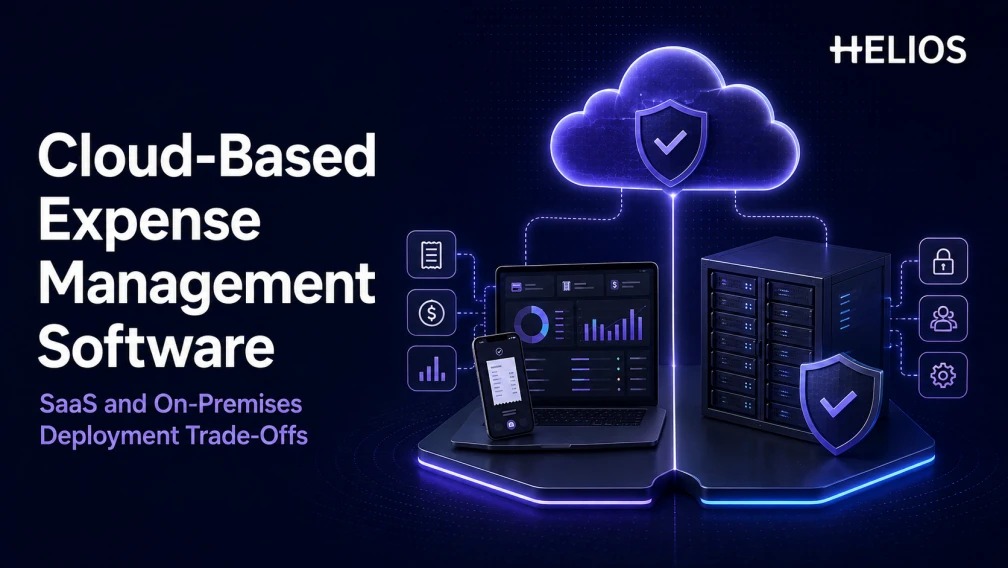
What is cloud-based expense management software?
Cloud-based expense management software is an application delivered over a network that helps employees capture receipts, create expense claims, route approvals, apply company policy, and send approved transactions into finance systems. In a software-as-a-service model, the provider operates the application and underlying cloud environment while the customer configures users, policies, workflows, integrations, and data access.
NIST defines SaaS as the use of a provider’s applications running on cloud infrastructure, with the provider managing the underlying network, servers, operating systems, and storage. The customer still owns critical responsibilities, including identities, access decisions, data governance, configuration, and the business process around the application.
On-premises expense management software runs in infrastructure controlled by the customer or its designated hosting environment. The organization assumes more responsibility for servers, operating systems, databases, monitoring, patching, backup, resilience, network security, and application operations. Greater infrastructure control can serve a real requirement, but it also creates a larger operating burden.
SaaS vs on-premises expense management at a glance
| Decision factor | SaaS expense management | On-premises deployment |
|---|---|---|
| Time to deploy | Usually faster because infrastructure and standard application services already exist | Usually longer because environments, security controls, installation, and operations must be prepared |
| Operating ownership | Provider operates most of the application stack; customer manages configuration, identities, data, and usage | Customer operates the full technology stack or contracts a partner to do so |
| Upgrades | Provider schedules and delivers updates across the service | Customer plans, tests, and installs upgrades |
| Cost profile | Subscription plus implementation, integration, and change-management costs | Licenses plus infrastructure, operations, security, upgrades, and specialist staff |
| Customization | Configuration and supported extensions within the product architecture | Potentially deeper environment control, with greater upgrade and maintenance consequences |
| Remote and global access | Designed for network access across supported devices and regions | Depends on the customer’s network, remote-access design, capacity, and support model |
| Security model | Shared responsibility with substantial provider responsibility for the service stack | Customer carries responsibility across infrastructure, platform, application, and operations |
The most important deployment trade-offs
The deployment decision balances rollout speed and managed operations against infrastructure control and internal responsibility.
1. Deployment speed and internal workload
SaaS normally shortens the technical setup because the vendor already operates the production service. The project can concentrate on expense policy, employee data, entity structure, approvals, accounting mappings, integrations, testing, and adoption. On-premises implementation adds environment design, capacity planning, database setup, network access, security hardening, backup, monitoring, and operational handover.
A fast technical launch is not the same as a successful expense transformation. Either deployment can fail if the organization imports unclear policies, incomplete master data, or approval routes that no longer match the business.
2. Total cost of ownership
A fair comparison extends beyond subscription versus license price. SaaS total cost includes implementation, integration, data migration, identity setup, administration, support tiers, and change management. On-premises total cost also includes compute, storage, databases, nonproduction environments, backup, disaster recovery, cybersecurity tooling, monitoring, upgrade projects, and the people who operate them.
Finance teams should model costs over a realistic period and include volume growth, new entities, countries, integrations, retention requirements, and major upgrades. An apparently cheaper option can become expensive when recurring operational work is omitted.
3. Security, privacy, and responsibility
Cloud deployment does not remove the customer’s security duties. The organization still controls user lifecycle, roles, authentication choices, policy configuration, data classification, endpoints, integration credentials, and appropriate use. The provider’s responsibilities should be documented through contracts, architecture, audit reports, incident processes, service levels, and technical controls.
On-premises deployment gives the customer direct control of the environment but also makes the customer responsible for maintaining it. Security depends on patch speed, monitoring, privileged access, segmentation, backup testing, vulnerability management, and incident response. Control has value only when the organization can operate it consistently.
4. Data residency and regulatory requirements
Multinational expense data may contain employee identities, travel details, bank information, receipts, tax fields, and business context. Before choosing cloud-based expense management software, identify where data is stored, processed, backed up, supported, and accessed. Map those locations to contractual, privacy, sector, and internal requirements.
Do not treat “private,” “dedicated,” or “local” as complete answers. Verify tenancy, encryption, key management, administrator access, logging, retention, deletion, backup geography, cross-border support access, and the evidence available for audit.
5. Updates, innovation, and release control
SaaS customers usually receive security fixes and product updates as part of the service. This can speed access to mobile, OCR, analytics, and AI improvements. The trade-off is that customers must understand release communication, testing options, configuration impact, and change windows.
On-premises teams can control upgrade timing, which may help when integrations or validation processes require a fixed release. Delaying upgrades, however, can create security exposure, support gaps, and an expensive backlog of application and infrastructure changes.
6. Integration and customization
Expense software rarely operates alone. It exchanges employee, organization, project, budget, vendor, accounting, tax, payment, and status data with HR, ERP, identity, travel, and banking systems. The meaningful question is whether the deployment supports reliable interfaces, monitoring, retries, reconciliation, and ownership when a transaction fails.
On-premises access can enable deep environment control, but custom code increases testing and upgrade effort. SaaS favors configuration, APIs, and supported extensions. Buyers should judge each required integration individually instead of assuming one deployment model is automatically more flexible.
7. Global access, scale, and resilience
Cloud expense software is often easier to extend to distributed teams because users can access a centrally operated service through supported web and mobile channels. Global suitability still depends on language, receipt formats, currencies, local policy, data requirements, support coverage, and regional performance.
On-premises systems can support global teams, but the enterprise must design network routes, remote access, capacity, high availability, disaster recovery, and follow-the-sun operations. Test the employee experience from real locations rather than relying on a headquarters demonstration.
When SaaS expense management is usually the better fit
- The organization wants a faster rollout without building and operating the complete application infrastructure.
- Employees and approvers work across locations and need consistent web and mobile access.
- Finance wants regular product updates, standardized operations, and a predictable service model.
- The business expects to add entities, users, or countries and wants capacity to scale without a new infrastructure project.
- IT can accept a shared-responsibility model after reviewing security, data, integration, and service evidence.
When on-premises or dedicated deployment deserves consideration
- A documented regulation, contract, or internal architecture requirement restricts where or how the application may operate.
- The organization has the team and processes to patch, monitor, back up, recover, and upgrade the environment throughout its life.
- Critical legacy integrations depend on network or platform conditions that cannot be met through supported cloud connectivity.
- Release timing requires customer-controlled validation and the business accepts the resulting upgrade responsibility.
- A risk assessment shows that the additional infrastructure control justifies the cost and operational exposure.
A deployment decision framework for finance and IT
- Define the business scope: entities, countries, users, expense types, currencies, receipts, approvals, payments, accounting, and reporting.
- Classify the data and identify residency, retention, privacy, audit, and sector requirements.
- Map all integrations, including direction, frequency, authentication, error handling, reconciliation, and owner.
- Build a five-year total-cost model using realistic growth, support, upgrade, security, and staffing assumptions.
- Test security evidence, identity lifecycle, roles, logs, backup, recovery, incident response, and service levels.
- Run a pilot with real expense policies, documents, international cases, approvers, and accounting outputs.
- Choose the deployment whose operating responsibilities the organization can sustain, then document those responsibilities in governance and support plans.
How Helios connects deployment choice with expense outcomes
The deployment model matters because it affects how quickly an expense platform can reach employees, how reliably it connects to finance systems, and who maintains the controls. Helios materials describe public-cloud, dedicated-cloud, and private deployment approaches, allowing enterprise teams to discuss deployment alongside business requirements rather than as an isolated infrastructure decision.
For a cloud-based expense management evaluation, the most relevant Helios capabilities are:
- Global employee expense workflows that connect application, consumption, reimbursement, accounting, entry, and archiving.
- Mobile submission and multilingual receipt OCR for distributed teams and international expense documents.
- Configurable policy controls that translate company rules, limits, and documentation requirements into workflow checks.
- Flexible approval workflows for multi-entity, department, project, role, amount, and exception scenarios.
- API, connector, and data-mapping capabilities for ERP, HR, OA, collaboration, travel, and other finance systems.
- Analytics and reporting that give finance teams structured visibility into expenses, policy results, and process performance.
- AI-assisted claim and approval experiences that can reduce repetitive work while retaining evidence and human review points.
Deployment, data residency, payment execution, individual ERP objects, country-specific tax handling, and AI scope should be confirmed during solution design. A strong evaluation uses the buyer’s policies, integrations, documents, and operating model as test cases.
Choose an operating model, not only a hosting label
SaaS is often the practical choice when speed, managed operations, global access, and regular updates matter most. On-premises or dedicated deployment can be appropriate when a verified requirement justifies greater infrastructure control and the organization can operate that control over time. The decision should follow the expense process, data, integration, security, and support requirements rather than a general preference for cloud or servers.
Evaluate Helios with your deployment, policy, and integration requirements. Request a Helios demo.
FAQ about cloud-based expense management software
Is cloud-based expense management software the same as SaaS?
SaaS is the most common cloud model: the provider runs the application and infrastructure while the customer configures policies, users, and integrations. Dedicated or private cloud deployments sit between SaaS and on-premises in who operates what.
Who is responsible for security in a SaaS expense platform?
Both parties. The provider secures the service stack; the customer owns identities, roles, policy configuration, endpoints, integration credentials, and data governance. Document the split in contracts and audit evidence.
When does on-premises expense software still make sense?
When a documented regulation, contract, or architecture requirement restricts where the application may run, and the organization can patch, monitor, back up, and upgrade the environment for its full life.
How should finance compare SaaS and on-premises costs?
Model five years, not the first invoice: subscription or license, implementation, integrations, nonproduction environments, security tooling, upgrades, support, and the staff who operate everything.
Does Helios offer deployment options beyond public cloud?
Helios materials describe public-cloud, dedicated-cloud, and private deployment approaches. Confirm the model, data location, and operating responsibilities during solution design.