
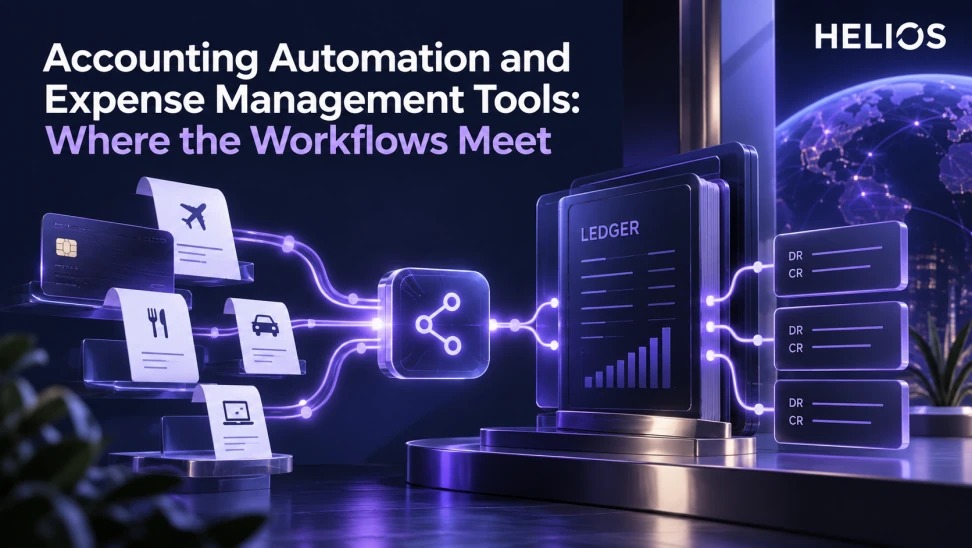
A systems guide to the handoff between expense management and accounting automation across coding, tax, journals, reconciliation, and close.
A practical framework for finance teams
A systems guide to the handoff between expense management and accounting automation across coding, tax, journals, reconciliation, and close.
The exact integration method, supported ERP objects, posting logic, tax treatment, and automation level depend on configuration and buyer systems. Validate them with real end-to-end test cases.
For related guidance, see expense automation reporting.
Start with a defined population, consistent evidence, named owners, and a decision that the analysis is meant to improve. The framework below connects each metric or workflow step to a control and a follow-up action.
Accounting Automation and Expense Management Tools at a glance
| Layer | Expense workflow output | Accounting use | Control |
| Source | Receipt, card, claim, advance | Transaction evidence | Stable identifiers |
| Enrichment | Entity, account, tax, dimensions | Posting attributes | Validated mappings |
| Approval | Policy and business decision | Posting authorization input | Role separation |
| Transfer | Export or API response | Journal or payable record | Acknowledgment and retry |
| Close | Reconciliation and status | Ledger completeness | Control totals |
For related guidance, see AI accounting invoice automation guide.
A controlled handoff links evidence, ownership, decisions, and follow-through.
Define the system boundary
Expense tools capture employee context, receipts, card transactions, coding, policy results, and approvals. Accounting automation validates posting attributes, creates or imports records, reconciles responses, and supports close.
Write which system owns employee, entity, account, tax, project, exchange-rate, payment, and posting status data. Avoid maintaining two uncontrolled masters.
For related guidance, see ERP integration test cases.
Normalize coding and tax data
Map expense category to GL account, entity, cost center, department, project, client, tax code, and other dimensions. Use effective dates and preserve the mapping version applied.
Route incomplete or conflicting fields to a defined exception queue. Tax determination and recoverability require local validation rather than a universal rule.
Design the approval-to-posting gate
Business approval confirms need and budget responsibility; finance review checks policy, evidence, coding, and accounting readiness. A completed manager approval should not automatically mean every posting field is valid.
Define when an approved claim becomes eligible for export and which later changes require reapproval or reversal.
Build a resilient integration handoff
Use stable IDs, batch or event timestamps, control totals, idempotency, acknowledgments, status mapping, retries, and error ownership. Test duplicate sends, partial failures, timeouts, and corrected records.
Keep the source record connected to the destination document or journal reference so finance can trace both directions.
For related guidance, see expense categories and GL accounts.
Reconcile through close
Compare approved, exported, accepted, posted, paid, rejected, reversed, and outstanding amounts. Explain timing differences and maintain an aging queue.
Separate transaction date, approval date, posting date, and payment date. Define accrual treatment for approved or incurred but unsubmitted expenses.
Ask selection questions that expose gaps
Can the workflow carry all required dimensions and taxes? Which system owns mappings? How are rejected records repaired? Can a correction preserve history? How are refunds, advances, split allocations, and multi-currency handled?
Require a pilot using representative data and the buyer’s real accounting environment. A connector logo is not evidence of end-to-end coverage.
How Helios supports this workflow
Helios can connect mobile expense capture, multilingual OCR, configurable policy controls, role-based approvals, accounting preparation, integration, and multidimensional reporting. These capabilities can provide structured records and workflow evidence. Contract interpretation, external audit opinions, customer invoicing, and capabilities outside the confirmed product scope require separate validation.
For related guidance, see month-end employee expense accruals.
- Capture receipts, claims, card transactions, and business purpose.
- Apply policy and role-based approvals before accounting handoff.
- Prepare coding, entity, tax, currency, and dimensional data.
- Connect approved records with ERP and finance systems.
- Support traceability through workflow and integration status.
- Report exceptions and reconciliation inputs for close.
A practical conclusion
A useful finance process makes the scope visible, preserves the evidence, assigns the decision, and verifies the result. Treat every benchmark, exception, posting, and recharge as an input to action rather than an isolated number.
See how Helios can support this workflow. Request a Helios demo.
FAQ
Where do expense and accounting workflows meet?
They meet at validated coding, tax, entity, dimensions, approval status, export, posting response, and reconciliation.
Which system should own GL mappings?
Assign one governed owner and source of truth, with effective dates and controlled distribution to dependent systems.
Does manager approval make an expense posting-ready?
No. Finance may still need to validate evidence, policy, coding, tax, entity, and integration requirements.
What should an ERP integration test?
Test normal records, duplicates, partial failures, corrections, refunds, advances, split allocations, currencies, retries, and reconciliation.
How should close handle expenses in progress?
Define accrual and cutoff treatment for incurred, submitted, approved, exported, posted, and paid states.
What can Helios support?
Helios supports expense workflows, policy, approvals, accounting preparation, integration, and reporting; exact interfaces require validation.