
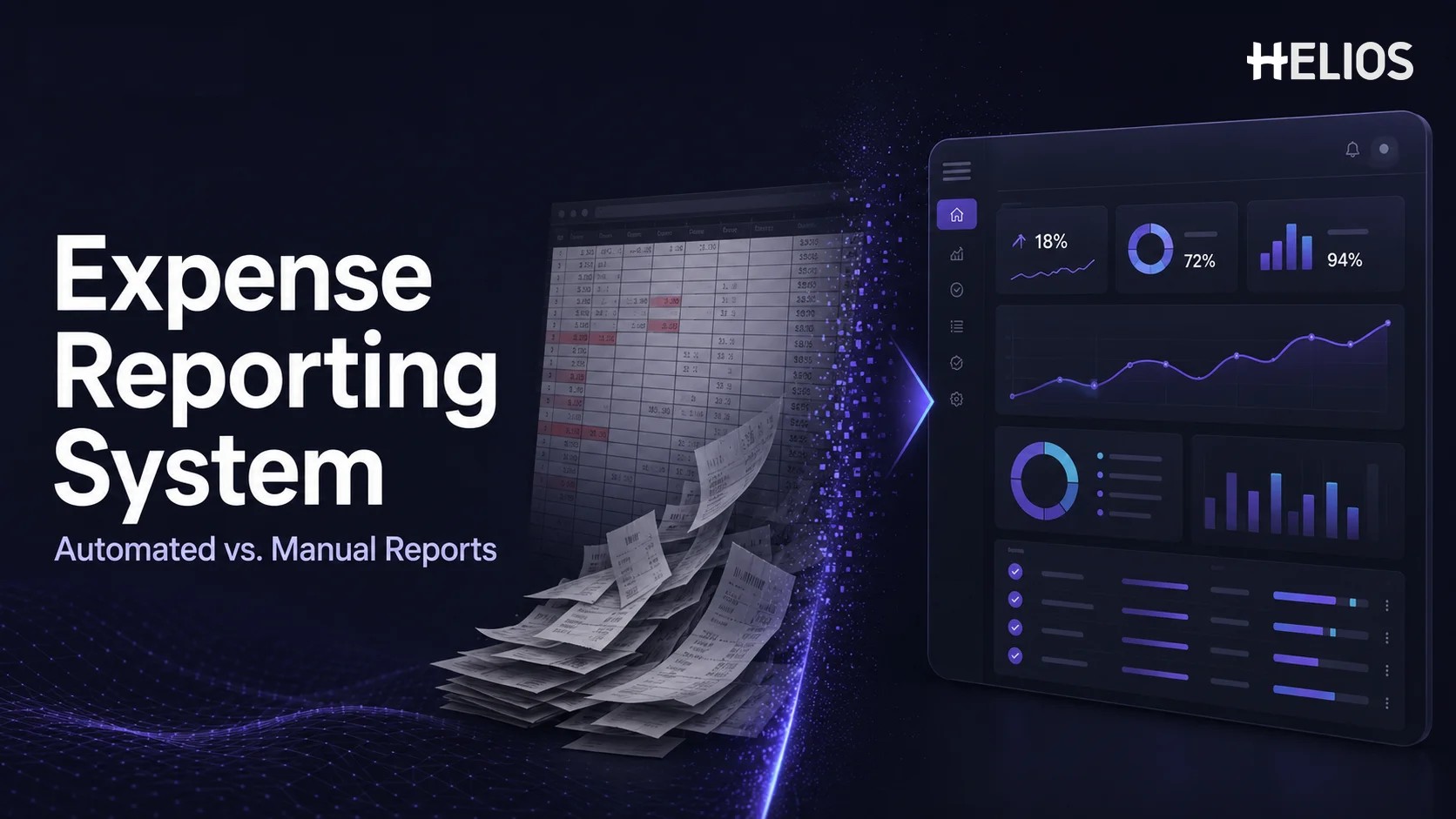
Manual expense reports can look manageable when a company has a small workforce and only a few claims. Employees enter transactions in a spreadsheet, attach receipts, email the file to a manager, and wait for finance to review it. As volume grows, however, the process creates repeated data entry, inconsistent policy checks, version confusion, slow approvals, and limited visibility into spend.
An expense reporting system moves the same process into a controlled workflow. It can capture receipt data, guide employees through required fields, check policy conditions, route approvals, support finance review, prepare accounting data, and organize reporting information. This guide compares manual spreadsheets with automated expense reporting so finance teams can decide when dedicated expense report tools provide meaningful operational value.
What Is an Expense Reporting System?
An expense reporting system is software used to create, submit, validate, approve, review, reimburse, account for, and analyze employee business expenses. The system keeps the expense details, supporting documents, policy results, workflow status, comments, and decision history connected to one record.
The term can describe a focused reporting application or a capability within broader expense management software. Core functions usually include guided claim forms, receipt upload, OCR field capture, policy rules, configurable approval routing, finance review, reimbursement tracking, accounting preparation, dashboards, and an audit trail. The exact scope varies, so buyers should confirm which steps are native, configurable, or dependent on integrations.
Automation does not eliminate employee or finance responsibility. Employees still confirm business purpose and coding that cannot be read from a receipt. Managers still decide whether the expense is reasonable. Finance still reviews exceptions, tax treatment, duplicates, supporting evidence, and accounting results. The system reduces repetitive handling and makes those responsibilities more visible.
How Manual Expense Reports Usually Work
A manual process normally uses a spreadsheet or document template, email, shared folders, and separate accounting or payment tools. An employee types each transaction, adds a category and business purpose, copies currency or tax information, and attaches images or PDFs. The manager reviews the package, finance checks it again, and approved values are re-entered or reformatted downstream.
- Spreadsheet dependence. Formulas, columns, dropdowns, and file versions vary between teams or reporting periods.
- Disconnected evidence. Receipts may arrive as email attachments, phone images, shared-drive files, or links that are difficult to match with rows.
- Manual policy interpretation. Employees, managers, and finance users must remember limits, receipt rules, categories, and approval requirements.
- Email-based routing. Ownership and status are inferred from messages rather than managed in one workflow.
- Repeated reconciliation. Finance consolidates files, corrects formats, investigates missing information, and rekeys approved data.
These controls can work at low volume if the template is stable and responsibilities are clear. The challenge is that control quality often depends on individual memory and manual follow-up rather than consistent system behavior.
Expense Reporting System vs Manual Expense Reports
The main difference is not that one process uses a screen and the other uses a spreadsheet. It is whether expense data, evidence, validation, approval, finance review, accounting preparation, and reporting operate as a connected record.
A system does not guarantee a better result by itself. Policies, approval roles, accounting mappings, integrations, employee training, and exception handling still need to be designed. The advantage is that the operating model can be configured, measured, and applied more consistently than a collection of files and emails.
- Efficiency: Less Entry, Chasing, and Reconciliation
Manual reports distribute work across the employee, approver, and finance team. The employee types receipt details. The approver searches for evidence or explanations. Finance compares the spreadsheet with attachments, checks formulas, standardizes categories, and prepares accounting data. Every missing field creates another email exchange.
An expense reporting system can remove several of these handoffs. OCR captures merchant, date, total, currency, tax, and invoice details from receipts or invoices. Required fields and contextual prompts help employees complete the record before submission. Status tracking shows who owns the next action, while reminders and escalation reduce manual chasing.
- Employee efficiency. Capture the document, verify recognized fields, add business context, and submit without rebuilding every transaction from scratch.
- Approver efficiency. Review a consistent record with the receipt, policy result, coding, comments, and prior actions together.
- Finance efficiency. Focus on incomplete, unusual, high-risk, or policy-exception items instead of checking every claim in the same way.
- Accounting efficiency. Use validated dimensions and generated entries rather than manually translating spreadsheet columns into journal formats.
- Compliance: From Memory-Based Checks to Embedded Rules
In a spreadsheet process, policy guidance may live in a separate PDF, intranet page, or email. Employees may not know that a receipt is required above a threshold, a meal limit depends on location, or a category needs additional approval. Managers often discover problems after submission, and finance becomes the final control point.
Automated expense reporting can evaluate structured claim data against configured rules. Checks may cover missing receipts, spending limits, duplicate-looking transactions, restricted categories, submission timing, payment method, required attendees, project codes, or supporting explanations. The result can warn the employee, block an incomplete submission, request justification, or route an exception for review.
- Earlier guidance. Show the relevant rule while the employee prepares the expense instead of after finance receives it.
- Consistent evaluation. Apply the same configured condition to similar expenses while retaining a documented exception path.
- Visible exceptions. Separate compliant claims from items that require manager or finance judgment.
- Policy measurement. Analyze the frequency, type, value, and resolution of exceptions rather than relying on anecdotal feedback.
Rules must still match the organization’s actual policy and local requirements. A poorly configured limit can create false exceptions, while an incomplete rule set can give a misleading sense of control. Finance should own rule governance, testing, change approval, and periodic review.
- Review and Audit Trail: One Record Instead of Many Files
Manual review often depends on the latest spreadsheet, a folder of receipts, an approval email, and separate finance notes. It may be difficult to determine which value changed, who approved the exception, whether a receipt was replaced, or why a report was returned. Duplicate copies can also obscure the final version.
A system-based review keeps the claim, source document, recognized data, employee corrections, policy results, comments, approval actions, and finance decision connected. Reviewers can return, approve, reject, adjust, or escalate the report with a reason. Role-based queues and timestamps make pending work and processing delays visible.
- Structured evidence. Keep receipts and invoices linked to the exact expenses they support.
- Decision history. Record submissions, corrections, comments, approvals, returns, and exception decisions.
- Targeted review. Prioritize high-value, unusual, incomplete, duplicate-looking, or policy-exception items.
- Controlled access. Restrict employee, manager, finance, administrator, and reporting permissions according to role.
The audit trail supports operational expense review; it does not replace statutory audit, tax advice, legal retention analysis, or other independent assurance requirements. Organizations should confirm retention, data access, security, and evidence standards for every jurisdiction in scope.
- Data Analysis: From Consolidated Workbooks to Structured Insight
Spreadsheet reporting is possible, but the source data often needs significant cleanup. Merchant names differ, categories are inconsistent, currencies use mixed formats, cost centers are missing, and report versions must be combined. Finance may spend more time preparing the dataset than analyzing it.
An expense reporting system captures common dimensions during the workflow. Once fields are validated, dashboards and exports can show spend by entity, department, cost center, project, employee, merchant, category, currency, tax type, or period. Workflow data can also reveal submission delays, approval bottlenecks, missing receipts, exception rates, correction rates, and reimbursement status.
- Spend visibility. Compare categories, merchants, entities, departments, projects, and reporting periods.
- Control visibility. Track missing evidence, policy exceptions, duplicate risks, returns, and overrides.
- Process visibility. Measure submission time, approval time, finance review time, backlog, and reimbursement progress.
- Data quality visibility. Identify incomplete coding, recurring corrections, inconsistent usage, and fields that create employee confusion.
Reliable analytics still require governance. Category definitions, entity structures, currency logic, tax treatment, cost-center mappings, and access permissions must be maintained. A dashboard is only as dependable as the data and configuration behind it.
A Simple Expense Reporting System Workflow
A typical employee-paid expense can move through six connected steps:
- Capture. The employee photographs a receipt or uploads an invoice through a mobile or web interface.
- Auto-fill. OCR or imported transaction data populates available fields, including merchant, date, amount, currency, and tax.
- Complete. The employee verifies the data and adds purpose, category, project, cost center, attendees, payment method, and required explanation.
- Validate and route. The system checks completeness and policy conditions, then selects the appropriate approval path based on configured rules.
- Review. Managers and finance users inspect the structured claim, source documents, exceptions, coding, and prior actions before making a decision.
- Account and reimburse. Approved data moves toward employee payment and accounting, while status and reporting fields remain available for monitoring.
This sequence can be adapted for company-card expenses, cash advances, travel claims, invoices, multi-entity organizations, or different levels of finance control. The important design principle is that each step uses the same underlying record rather than creating another disconnected copy.
A Simple Comparison Example
Consider an employee who submits a client dinner with a receipt, four attendees, a project code, and a cost above the standard meal limit.
- Manual report. The employee types the transaction into a spreadsheet, names and attaches the receipt, looks up the policy, and emails the file. The manager asks for attendees and an explanation. Finance later checks the limit, verifies the total, and reformats the coding for accounting.
- System report. Receipt capture auto-fills the common fields. The form requires attendees and project code. A policy check identifies the limit exception and requests justification. The report routes to the correct approver, and finance reviews the evidence, explanation, coding, and recorded approval together.
The expense may receive the same final decision in either process. The difference is the amount of manual coordination, the consistency of the required information, and the quality of the record available for finance and reporting.
When Are Manual Expense Reports Still Reasonable?
A manual template may be adequate for a very small organization with low claim volume, simple policies, one entity, limited currencies, few approvers, and little need for detailed analytics. The process should still define required evidence, approval authority, review responsibility, retention, payment control, and accounting ownership.
Warning signs that the process has outgrown spreadsheets include repeated late submissions, missing receipts, approval uncertainty, many versions of the same report, frequent rekeying, inconsistent policy decisions, duplicate-payment concerns, multi-entity complexity, slow reimbursement, and difficulty answering basic spend questions without manual consolidation.
How to Choose Expense Report Tools
The best evaluation uses real expense scenarios rather than a feature checklist alone. Ask vendors to demonstrate ordinary claims, missing evidence, policy exceptions, multi-currency transactions, split allocations, returns, corrections, accounting output, and reporting. Important criteria include:
- Employee experience. Mobile and web access, receipt capture, field guidance, correction speed, multilingual needs, and accessibility.
- Policy and workflow flexibility. Rules and approvals based on amount, department, role, entity, cost center, project, category, and exception type.
- Finance review controls. Queues, evidence comparison, duplicate indicators, returns, adjustments, comments, escalation, and audit history.
- Accounting and payment fit. Dimensions, tax fields, journal logic, reimbursement status, exports, APIs, and confirmed integrations.
- Reporting quality. Dashboards, filters, drill-down, scheduled reports, data export, multi-entity views, and workflow metrics.
- Security and administration. Role access, authentication, encryption, data location, retention, deletion, change control, and support model.
- Implementation evidence. Configuration ownership, migration scope, testing, training, support, rollout approach, and measurable pilot results.
How to Move from Spreadsheets to Automated Expense Reporting
Migration should improve the process rather than reproduce every spreadsheet field and email step. A practical sequence is:
- Document the current process. Map submission, evidence, approval, finance review, payment, accounting, reporting, delays, corrections, and control gaps.
- Define the target controls. Confirm policy rules, exception handling, approval authority, finance ownership, accounting dimensions, retention, and access.
- Configure representative scenarios. Include routine expenses, missing receipts, high values, split coding, currencies, company cards, returns, and multi-entity cases.
- Pilot with real users. Measure submission time, correction rate, approval time, review effort, exceptions, employee adoption, and accounting accuracy.
- Roll out with governance. Train employees and approvers, publish support paths, monitor exceptions, and assign owners for rules, workflows, mappings, and reports.
Historical spreadsheet data should be migrated only when there is a clear reporting, retention, or operational need. Many organizations keep approved legacy records in a controlled archive and begin the new system with clean master data and opening configurations.
How Helios Supports Modern Expense Reporting
Helios is designed to connect employee submission, expense control, approval, finance processing, accounting, and reporting in one enterprise-focused platform. Its capabilities address several limitations of manual reports:
- Mobile submission and AI-powered receipt capture. Employees can photograph or upload receipts and invoices, while OCR captures relevant information to reduce repetitive typing and keep evidence linked to the claim.
- Automated policy control. Configured spending rules can identify out-of-policy requests, missing requirements, and other exceptions before they become a manual finance investigation.
- Flexible approval workflows. Organizations can configure approval paths around departments, roles, cost centers, and business requirements instead of relying on email forwarding.
- Finance and accounting automation. Approved expense reports can generate accounting entries and connect with finance systems, reducing downstream re-entry and reconciliation.
- Analytics and AI assistance. Multi-dimensional dashboards and customizable reports help finance analyze spend and process outcomes. Spark AI adds conversational assistance across claim, approval, travel, and service tasks.
Helios also presents itself as an enterprise-grade provider with global experience and information security credentials. Companies should still validate the platform with their own entities, currencies, languages, policies, approval structures, accounting dimensions, reimbursement methods, integrations, reporting requirements, security standards, and employee scenarios. A tailored demonstration and controlled pilot are the best ways to confirm fit.
FAQs About Expense Reporting Systems
What is an expense reporting system?
An expense reporting system is software that manages employee expense creation, receipt evidence, validation, approval, finance review, reimbursement status, accounting preparation, and reporting in a connected workflow.
How is an expense reporting system different from a spreadsheet?
A spreadsheet stores entered values, but the surrounding process often depends on email, folders, manual policy checks, and separate accounting steps. A system connects the data with evidence, rules, workflow, review history, status, and reporting.
Can expense report tools eliminate manual data entry?
They can reduce it through OCR, transaction imports, defaults, templates, and accounting mappings. Employees still verify recognized values and provide business context, while finance reviews exceptions and final accounting treatment.
How does automated expense reporting improve compliance?
Configured rules can check required receipts, spending limits, categories, duplicates, timing, coding, and supporting details. The workflow can warn users, request explanations, or route exceptions to an authorized reviewer.
Does an automated system remove the need for finance review?
No. It helps finance focus on incomplete, high-risk, unusual, or policy-exception items. Finance remains responsible for review design, rule governance, coding, tax treatment, payment control, and the quality of accounting output.
When should a company replace manual expense reports?
Consider dedicated software when volume, entities, currencies, policies, approvers, rekeying, missing evidence, reimbursement delays, control concerns, or reporting needs make spreadsheets and email difficult to manage consistently.
The decision is not simply software versus spreadsheets. It is whether the organization needs a connected, measurable, and configurable expense process. Finance teams evaluating a modern Helios expense reporting system can request a demonstration using their own claims, receipts, policies, approval paths, accounting requirements, and reporting scenarios.