
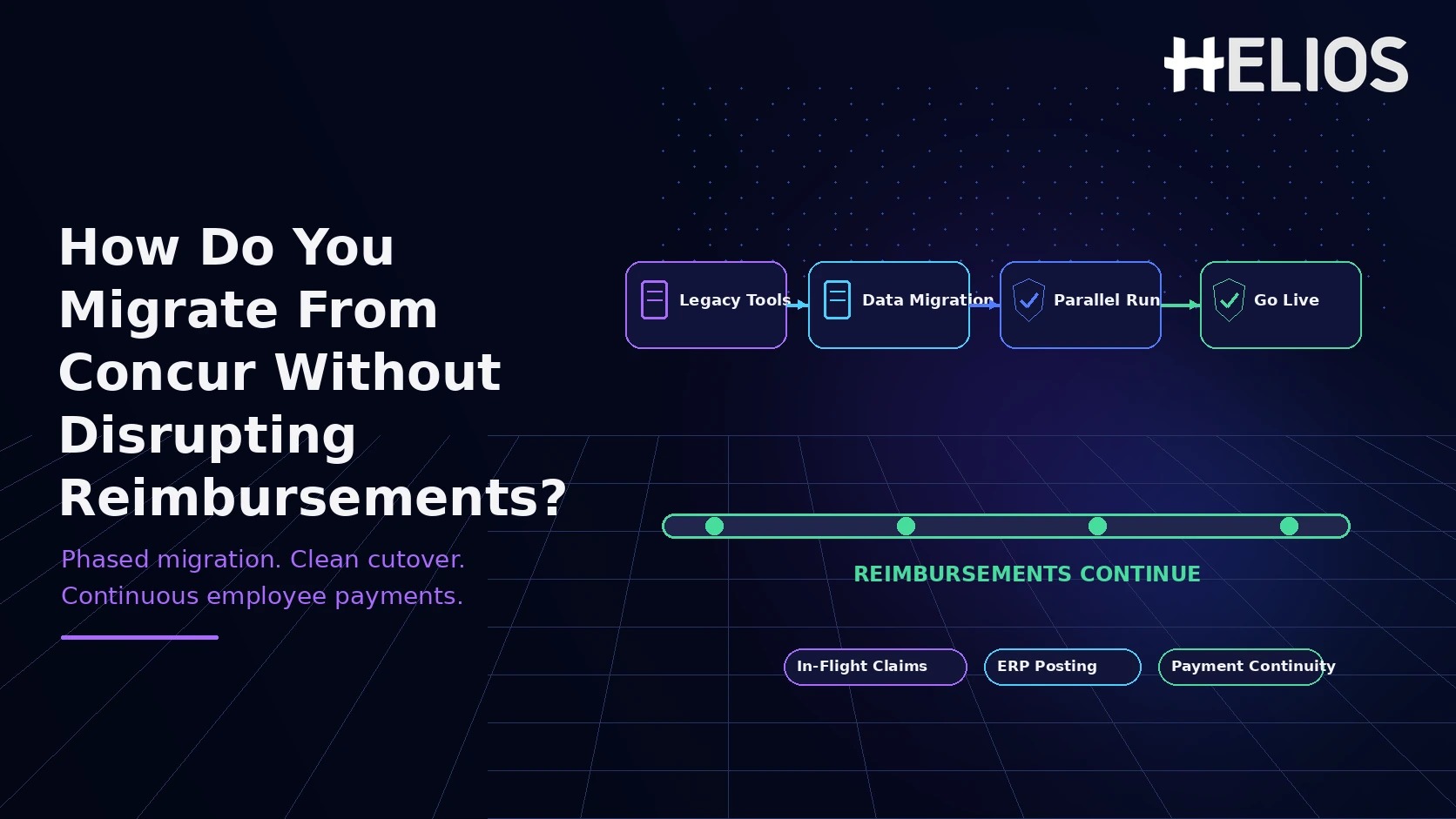
Migrating expense management from SAP Concur or a patchwork of regional tools is not mainly a data-conversion project. It is a controlled transfer of reimbursement, approval, accounting, card, policy, and audit workflows across countries and legal entities. The migration succeeds only if employees continue to submit claims, approvals keep moving, approved expenses are paid on time, and finance can still reconcile every posting throughout the cutover.
The safest design is therefore built around financial continuity rather than a single system-switch date. Define which system owns every in-flight claim, move new activity in controlled waves, reconcile ERP and card interfaces at each handoff, preserve required history, and retire the legacy environment only after open reimbursements and accounting states are settled.
Why Reimbursement Continuity Should Define the Migration Architecture
A multinational expense platform touches much more than the employee-facing form. One country may reimburse through payroll, another through accounts payable, and another through a local payment provider. Corporate-card feeds may arrive on different schedules, tax evidence may differ by jurisdiction, and accounting output may flow through multiple ERPs or legal-entity ledgers.
That is why the most dangerous migration gap is ownership ambiguity. A claim can appear in the old and new environments yet be payable in neither, or it can be paid twice if both systems believe they own the same transaction. Before any country goes live, the program needs a clear rule for drafts, submitted reports, approved-but-unpaid claims, open card transactions, rejected reports, ERP errors, and historical records.
Start With the Current Operating Model, Not the New Software
Before configuring the target platform, inventory the actual operating model by country and legal entity. Do not assume the existing SAP Concur configuration is the whole process; regional teams often rely on local payroll calendars, spreadsheets, bank files, tax adjustments, or manual finance controls that sit outside the application.
- Users and organizational data. Employees, legal entities, departments, cost centers, managers, delegates, approvers, currencies, and languages.
- Policy and approval logic. Expense categories, thresholds, receipt rules, local tax or per diem requirements, escalation paths, and exception handling.
- Financial integrations. ERP or accounting interfaces, GL mappings, tax codes, payment routes, card programs, posting status, and reconciliation files.
- Open work. Draft claims, submitted reports, approved-but-unpaid reimbursements, rejected items, unmatched card transactions, and unresolved posting errors.
- Historical evidence. Paid reports, receipt images, audit trails, policy decisions, accounting references, retention rules, and access requirements after decommissioning.
Build an In-Flight Claim Ownership Rule Before Cutover
The program should classify each transaction by financial state and assign one system and one operational team as the owner. A simple ownership table prevents partially processed claims from being copied back and forth between systems.
| Expense state | Recommended handling | Why it protects reimbursement continuity |
| Draft in legacy | Finish by a published deadline or recreate in the new system | Avoids partially migrated claims with unclear ownership |
| Submitted / pending approval | Complete in the system where the report started | Preserves approval history and prevents duplicate workflow |
| Approved but unpaid | Keep legacy payment ownership until paid and reconciled | Prevents payment delay or duplicate payment |
| Open card transaction | Route based on a documented feed/date rule | Avoids lost, duplicated, or late-arriving card items |
| Paid / closed history | Archive or retain read-only access unless active migration is required | Preserves audit, tax, and legal evidence without recreating old complexity |
A Seven-Phase Migration Framework, Not a Big-Bang Cutover
- Discover and segment. Document every country, legal entity, policy, integration, payment route, card feed, and record-retention requirement. Group entities by complexity and risk.
- Design the global template and local deltas. Standardize expense categories, core controls, reporting dimensions, and common approval patterns, then document the local differences that genuinely need to remain.
- Configure master data and integrations. Load users, organizational structures, cost centers, approvers, categories, GL mappings, tax rules, card settings, SSO, and ERP interfaces. Validate transformation rules with representative data.
- Pilot one controlled cohort. Choose a country or business unit with meaningful complexity but manageable risk. Test submission, approval, posting, payment, card matching, tax evidence, analytics, and support end to end.
- Run a controlled overlap. Keep the legacy platform available for in-flight work while new expenses for the migrated cohort start in the new system. Avoid long-term dual entry.
- Roll out in country waves. Move entities using repeatable entry criteria, cutover checklists, communications, reconciliation, and hypercare. Pause the next wave if financial KPIs fall outside tolerance.
- Stabilize and retire legacy. Drain remaining claims, confirm payments and postings, preserve required history, revoke obsolete integrations and access, and only then move the old platform to read-only or decommission it.
Decide What to Migrate, What to Transform, and What to Archive
The right question is not "Can we move every historical field?" but "What must be active in the new platform on day one?" Migrating everything often reproduces the complexity that the transformation was supposed to remove.
- Migrate active operational data. Current employees, organizational structures, active policies, approvers, open master data, payment and accounting dimensions, and the history users genuinely need in day-to-day workflows.
- Transform legacy structures that should not survive. Normalize expense categories, cost-center mappings, approval rules, merchant labels, policy codes, and other fields that accumulated inconsistently across regions.
- Archive historical evidence that only needs retention. Paid reports, old receipt images, prior audit trails, and inactive configuration can remain in a compliant archive or read-only environment when tax, legal, privacy, and audit teams agree.
Protect ERP Posting, Card Feeds, and Employee Payment Rails
Reimbursement continuity depends on the downstream finance path. Each interface needs its own cutover rule, reconciliation test, support owner, and rollback condition.
- Freeze configuration before each wave. Stop nonessential changes to legacy mappings, approval logic, ERP interfaces, and payment rules shortly before cutover so the tested source configuration does not move underneath the project.
- Reconcile by transaction and financial state. Track report ID, employee, legal entity, amount, currency, approval state, posting state, payment state, and destination system. Assign and age every exception.
- Switch card feeds deliberately. Define whether transaction date, settlement date, or feed timestamp controls destination. Test late-arriving charges, credits, and reversals.
- Test the complete accounting round trip. Confirm journal creation, ERP acceptance, error and retry behavior, cost-center and GL mapping, tax treatment, duplicate prevention, and any payment-status feedback.
- Keep a rollback or wave-pause window. Maintain a known-good route for critical payment or posting defects and make the go/no-go decision before the next payroll or payment cutoff.
Where Helios Fits the Target Operating Model After Migration
Migration mechanics and target-platform capabilities should be evaluated separately — the capabilities below help simplify the future state, but each enterprise should still validate the exact integrations, countries, and implementation scope required for its deployment.
- Flexible Approval Workflows replace region-specific approval mazes with a smaller set of reusable global patterns plus documented local exceptions, configured by department, role, or cost center.
- Seamless Accounting Integration. Helios states its accounting engine can generate journal entries from expense reports — teams should still validate ERP mappings, interfaces, error workflows, reconciliation, and payment-status design before go-live.
- **Claim Copilot** and AI-Powered Receipt Capture reduce the form-learning burden during adoption: conversational claim submission and OCR let the new workflow simplify rather than reproduce every legacy screen and field.
- Regional implementation depth. Helios is headquartered in Singapore with teams across Tokyo, Hong Kong, and mainland China, plus an independent Japan-market brand, Spendia — relevant for programs where APAC entities are a significant part of the wave sequence, though it's still worth confirming hands-on local support for each specific country rather than assuming coverage from office locations alone.
Automated Policy Control and the analytics/Service Copilot layer matter too during stabilization — harmonizing shared policy while configuring true local exceptions, and giving shared-services teams visibility into cycle time and adoption after cutover — but they're supporting capabilities here, not the reason the migration succeeds or fails.
A Practical Country-Wave Cutover Sequence
For multinational programs, a country-wave checklist is usually more useful than one enterprise-wide cutover date. The sequence below can be adjusted around payroll calendars, local reimbursement cycles, card settlement, and statutory deadlines.
- T-6 to T-4 weeks: lock the wave scope. Confirm employees, legal entities, policies, approvers, currencies, card programs, ERP mappings, payment methods, local support, and success criteria.
- T-4 to T-2 weeks: load and validate configuration. Reconcile employee counts and cost centers, test expense categories, and validate local tax, per diem, receipt, and currency rules.
- T-2 weeks: run realistic end-to-end transactions. Exercise receipt capture, approvals, exceptions, card matching, accounting output, rejection and resubmission, and reimbursement.
- T-1 week: publish system-of-record rules. Tell users exactly which system to use for new expenses and what happens to drafts or reports already in progress. Use concrete examples.
- Cutover day: start new expenses in the new platform. Keep legacy access for the in-flight claims assigned to it. Avoid copying partially processed claims unless there is a controlled exception process.
- Days 1-5: reconcile daily. Review submissions, approval aging, posting errors, card-feed completeness, payment queues, and support tickets. Escalate financial exceptions before cosmetic issues.
- Week 2+: drain and close legacy activity. Confirm paid status, accounting reconciliation, outstanding card items, and historical-data access before changing the legacy system to read-only.
Migration KPIs and Go/No-Go Criteria
- Reimbursement continuity. No missed payment cycle, duplicate payment, or unexplained aging caused by cutover.
- Accounting integrity. Test and production transactions reconcile across the expense platform and ERP with no unresolved critical posting defect.
- Card-feed completeness. Expected card transactions, credits, and reversals arrive once, in the correct system, within agreed timing.
- Approval continuity. In-flight and new claims route to the correct approvers without orphaned tasks or bypassed controls.
- User adoption and support. Employees and approvers can complete the new workflow, with local support coverage and clear escalation owners.
A wave should not proceed if there is an unresolved critical defect in reimbursement, ERP posting, card feeds, authentication, or data privacy; if reconciliation cannot prove that transactions are neither lost nor duplicated; or if the organization cannot pause the next wave before the next payment cutoff.
FAQ
Should we migrate all historical SAP Concur expense reports? Not automatically. Move the history that users or workflows genuinely need active, and preserve the rest in an archive or read-only environment that satisfies audit, tax, legal, privacy, and retention requirements.
Should SAP Concur and the new expense tool run in parallel? A short, controlled overlap can reduce risk when the legacy system must finish in-flight reports. Long-term dual entry should be avoided — every cohort needs one clear system of record for each transaction state.
What is the safest way to handle open expense reports at cutover? Usually, submitted or approved reports should complete in the system where they started. Drafts need a published cutoff rule: finish in legacy by a deadline or recreate in the new system.
How should global and local expense policies be migrated? Start with a global core for shared categories, control principles, approvals, and reporting, then add local deltas for tax, statutory documentation, per diem, currency, payment method, labor practice, or material business differences.
Can Helios directly migrate data from SAP Concur? Helios's public product material describes expense management, policy, workflow, accounting, reporting, and AI capabilities, but it doesn't establish a universal, one-size-fits-all SAP Concur migration connector. Enterprises should validate extraction, transformation, API or file interfaces, historical-data scope, and implementation services for their specific configuration.
Migrate by Financial State, Not Just by User Account
The team that can name which system owns every claim, payment, and posting exception at every point in the cutover is the team that won't disrupt reimbursements.
Related Helios resources: Helios Expense Management | Spark AI | Helios Resources