
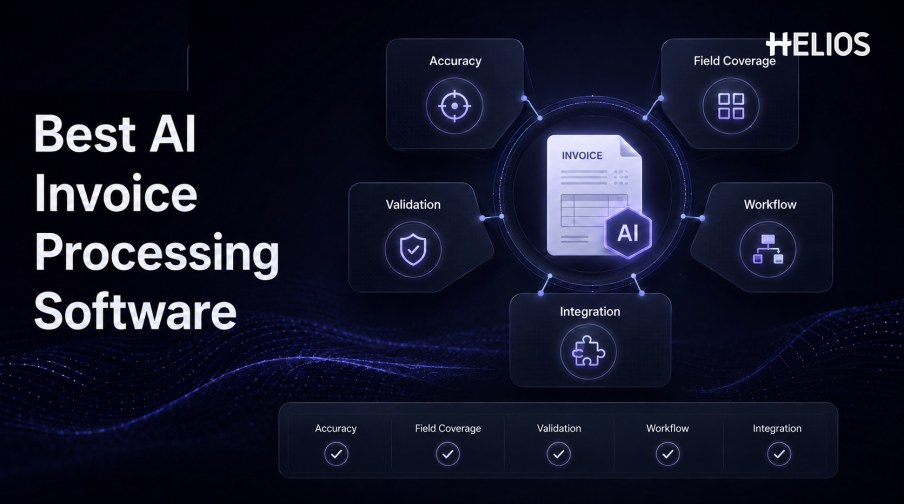
The best AI invoice processing software is not the product with the most impressive demonstration. It is the system that performs reliably on the organization’s invoices, captures the fields finance actually needs, exposes uncertainty, routes exceptions to the right people, and connects approved data with existing financial controls.
Evaluation should therefore combine document tests, workflow tests, integration tests, security review, and operational measures. A high headline accuracy number can conceal weak performance on tax, line items, unusual layouts, low-quality images, or the fields that matter most to accounting.
This guide explains the core features and evaluation criteria, then shows how Helios OCR, approval workflows, and accounting integration relate to invoice processing within expense management.
What AI Invoice Processing Software Should Cover
AI invoice processing software should manage the path from source document to usable financial data. At a minimum, it captures files, recognizes text, identifies fields, validates the result, supports correction, and exports or routes the approved record.
Broader platforms may add supplier management, purchase-order matching, tax controls, accounting, payment, fraud screening, and analytics. Buyers should separate mandatory capabilities from adjacent features and confirm the exact configuration being proposed.
Recognition Accuracy and Field Coverage
Accuracy should be tested at the field and document level.
- Critical header fields. Test supplier name, invoice number, invoice date, due date, currency, purchase-order reference, and payment terms where required.
- Financial totals. Measure subtotal, discounts, shipping, tax, withholding, rounding, and total across relevant formats and currencies.
- Line items. Evaluate descriptions, quantities, units, unit prices, tax rates, discounts, and row totals for tables of different complexity.
- Accounting context. Confirm support for entity, expense type, account, cost center, project, tax code, and other required dimensions.
- Document diversity. Use native PDFs, scans, photos, low-resolution images, multiple pages, rotated pages, multiple languages, and different layouts.
- Evidence and confidence. Require field-level confidence, source highlighting, and a simple method to review or correct uncertain values.
Validation and Exception Handling
Strong software does not merely extract values; it tests whether they make sense.
- Required-field validation. Identify missing values and enforce document, entity, category, tax, and accounting requirements.
- Arithmetic validation. Recalculate totals and compare subtotal, line items, tax, discounts, and grand total within approved tolerances.
- Duplicate screening. Compare images, invoice numbers, suppliers, dates, amounts, currencies, and related records.
- Reference-data checks. Validate supplier, employee, entity, account, cost center, project, currency, and tax information against approved sources.
- Policy and context checks. Compare the invoice or related expense with spending rules, trip context, approval requirements, and business purpose.
- Exception workflow. Assign, explain, correct, approve, reject, return, and close the issue with a documented outcome.
Workflow and User Experience Criteria
Workflow fit determines whether accurate extraction becomes operational value.
- Capture channels. Check mobile, web, email, upload, batch, API, and other channels relevant to the organization.
- Correction experience. Users should compare the source and extracted value, fix fields efficiently, and retain edit history.
- Conditional routing. Support roles, departments, entities, cost centers, amounts, categories, exceptions, and escalation conditions.
- Reviewer context. Present the original document, extracted values, policy results, related records, comments, and prior actions together.
- Status visibility. Show where the record is, who owns the next action, why it is blocked, and what happens next.
- Service administration. Provide configuration, permissions, monitoring, error handling, and support for operational teams.
Accounting Integration and Data Controls
Integration should be assessed as a controlled data flow, not a logo list.
- Data mapping. Define how invoice and expense fields map to entities, accounts, tax codes, cost centers, projects, and other dimensions.
- Entry preparation. Confirm how the system generates, validates, approves, and transmits journal-entry proposals.
- Interface behavior. Test authentication, field limits, duplicate requests, rejected records, retries, timeouts, and partial failures.
- Reconciliation. Verify that exported records arrive once, match approved values, and can be traced back to the source document.
- Audit history. Retain original data, extraction, corrections, policy checks, approvals, mappings, exports, errors, and final status.
- Security. Review identity, least privilege, segregation of duties, encryption, retention, monitoring, residency, and incident response.
A Practical Software Evaluation Process
A structured pilot reduces the risk of selecting software from a scripted demo.
- Define the requirements. List document types, fields, validations, workflow roles, systems, volumes, service levels, and control obligations.
- Build a representative test set. Include common, difficult, multilingual, multi-currency, multi-page, line-item, and exception examples.
- Measure field-level results. Record exact-match accuracy, material errors, correction effort, rejected files, and confidence quality.
- Run real workflows. Test capture, correction, routing, escalation, approval, accounting, retries, reporting, and audit retrieval.
- Review administration. Assess configuration, policy changes, permissions, monitoring, support, and release management.
- Quantify total value. Compare manual time, cycle time, data quality, exception effort, integration work, licensing, and ongoing ownership.
- Document acceptance criteria. Put material capabilities, thresholds, integrations, implementation responsibilities, and support expectations into the plan.
How Helios Fits AI Invoice Processing Software Evaluation
Helios publicly describes OCR-based invoice upload and automatic field completion within expense management, alongside policy controls, flexible approvals, accounting-entry generation, and reporting. Spark AI adds conversational claim and approval support. The published capabilities align with five evaluation areas:
- Document capture. Users can photograph or upload invoices for OCR-based data capture.
- Structured expense records. Recognized values can populate the workflow for user confirmation and downstream processing.
- Policy and exception controls. Automated Policy Control and configurable approvals support review and routing.
- Accounting preparation. Helios generates journal entries from approved expense reports.
- Operational visibility. Dashboards and customizable reports help finance teams analyze expense data.
Helios also presents itself as an enterprise-grade provider with global experience and information-security credentials. Buyers should validate recognition accuracy on their documents, field and line-item coverage, languages, tax logic, supplier and PO controls, duplicate screening, exception workflows, supported accounting systems, payment scope, security, and implementation effort.
FAQs About AI Invoice Processing Software
What is the most important evaluation criterion?
Start with accuracy on critical fields across representative documents, then evaluate correction effort, validation, workflow, integration, security, and operational ownership.
Can one overall accuracy number be trusted?
Not by itself. It may average easy and difficult fields or documents. Request field-level definitions, test data, error severity, and correction-rate results.
Should invoice software extract line items?
Only if line-level coding, tax, matching, allocation, analytics, or compliance requires them. Line items should be tested separately because they are more complex than header fields.
How should integrations be tested?
Use real mappings and failure cases, including rejected records, duplicate requests, timeouts, retries, reconciliation, and audit retrieval.
Is Helios dedicated AP automation software?
Helios publicly positions itself as an expense-management platform with invoice OCR and accounting integration. Organizations should validate any supplier, PO, payment, or AP-specific requirements.
Organizations can evaluate Helios OCR and expense workflows through a pilot that uses their own invoices, critical fields, exception scenarios, approval roles, accounting mappings, integration failures, and measurable acceptance criteria.