
What finance teams need to know
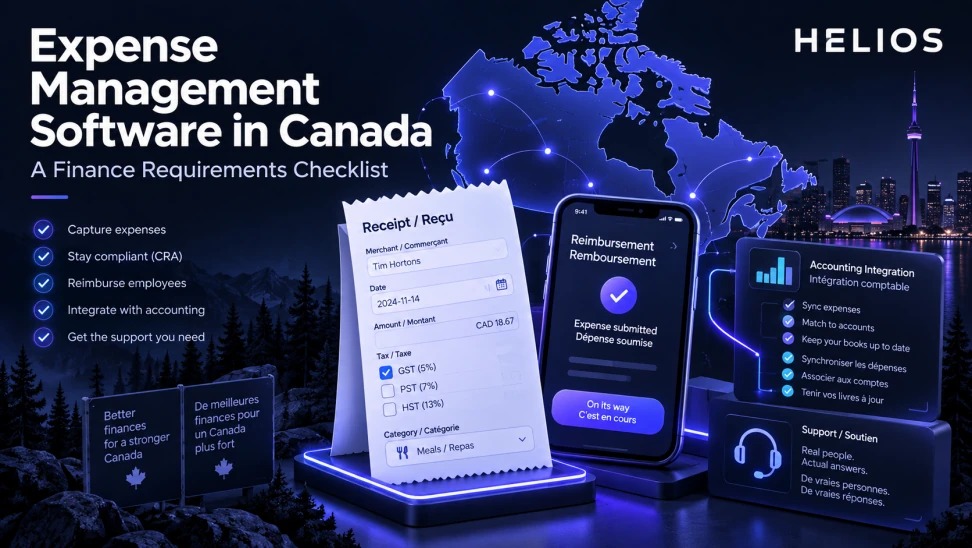
This selection guide organizes requirements for Canadian employee reimbursements across language, tax fields, currencies, accounting, security, implementation, and support.
Canadian tax, French-language, payment, privacy, and local-support requirements vary. Buyers must validate each required province, workflow, field, language, integration, and service commitment with vendors and qualified advisers.
For related guidance, see global expense management.
The framework below turns the topic into defined inputs, owners, decisions, controls, and measures rather than a generic software overview.
Expense Management Software in Canada at a glance
| Area | Definition | Owner | Control |
|---|---|---|---|
| Requirement | Question | Evidence | Validation |
| Language | Which user and admin surfaces are bilingual? | Live workflow | English and French users |
| Tax data | Which receipt fields are captured? | Sample receipts | Finance and tax review |
| Currency | How are CAD and foreign expenses handled? | Rate and payout scenarios | Country matrix |
| Integration | Which finance objects synchronize? | End-to-end test | Error recovery |
| Support | Who implements and resolves issues? | Service model | References and SLA |
For related guidance, see multi-currency international expense software.
A practical operating model connects data, decisions, ownership, and follow-through.
Define the Canadian operating scope
List legal entities, provinces, employee populations, payment methods, currencies, expense types, accounting systems, and support hours.
Separate current requirements from future expansion so demonstrations focus on real priorities.
For related guidance, see multilingual receipt OCR accuracy.
Test English and French experience
Validate interface, mobile screens, policy text, notifications, help content, OCR, administrator tools, and support in the required languages.
Do not infer full bilingual operation from a translated landing page. Use employee and administrator scenarios.
Validate receipt and tax fields
Test representative receipts for GST, HST, PST, and QST fields where applicable, plus tips, foreign taxes, credits, and mixed-rate documents.
Confirm extraction, correction, export, audit evidence, and the organization’s tax treatment with qualified Canadian professionals.
Check currencies and reimbursement
Confirm CAD functional reporting, foreign-currency capture, exchange-rate source, transparent conversion, approval, payment execution, failures, and employee status.
Country and bank coverage must be proven; a multi-currency interface does not guarantee local payout capability.
For related guidance, see international reimbursement payment methods.
Evaluate accounting integration
Map entities, accounts, departments, cost centers, projects, tax codes, employees, and payment status. Test rejected records, retries, corrections, refunds, and reconciliation.
Confirm compatibility with the buyer’s actual accounting environment rather than relying on a connector logo.
Assess security, implementation, and support
Review access control, audit logs, privacy terms, data handling, implementation resources, French and English support, escalation, and change management.
Use a scripted pilot with Canadian receipts and users. Document every dependency and roadmap item.
How Helios supports this workflow
Helios can connect mobile expense capture, OCR, configurable policy controls, role-based approvals, accounting preparation, integration, and multidimensional reporting. Capabilities outside the confirmed product scope should be validated during implementation.
For related guidance, see expense management software guide.
- Support mobile expense capture and reimbursement workflows.
- Use multilingual OCR for receipts and invoices.
- Configure policy and approval rules across entities.
- Capture currency, tax, and accounting data.
- Connect with ERP and finance systems.
- Provide reporting for Canadian and global operations.
A practical conclusion
The strongest process uses explicit definitions, accountable owners, reliable evidence, and measures that reveal whether the intended decision actually improved.
See how Helios can support this workflow. Request a Helios demo.
FAQ about expense management software in Canada
What should Canadian finance teams prioritize?
Define language, tax fields, currencies, reimbursement, accounting, security, implementation, and support requirements.
Does expense software need French support?
Requirements depend on workforce and jurisdiction. Validate every employee, administrator, policy, notification, and support surface needed.
Can OCR capture Canadian tax fields?
Vendors should be tested with representative GST, HST, PST, and QST receipts; tax treatment needs professional confirmation.
Does multi-currency mean Canadian payments are supported?
No. Confirm payout rails, banks, currencies, failures, reconciliation, and country coverage.
Which accounting integrations matter?
Test the buyer’s real entities, accounts, tax codes, cost centers, projects, posting, corrections, and errors.
Is Helios suitable for Canada?
Helios has relevant global expense, OCR, workflow, and integration capabilities, but Canadian language, tax, payment, and support requirements must be validated.