
What is real-time employee expense monitoring?
Real-time employee expense monitoring gives finance timely visibility into material events across the expense lifecycle. The useful unit is an event with a timestamp, actor, object, prior status, new status, reason, and owner.
Finance does not need an alert for every click. It needs events that change financial exposure, employee reimbursement status, policy outcome, approval responsibility, accounting completeness, or payment risk.
Automated expense tracking explains how spend is captured, categorized, and reconciled into a financial view. This article covers a narrower question that guide does not answer: which lifecycle events deserve an alert, what the alert should say, and who owns it.
“Real time” may mean immediate, near-real-time, or scheduled refresh depending on the product, integration, and data source. Helios refresh frequency and notification methods should be confirmed during implementation.
Real-Time Employee Expense Monitoring at a glance
| Event | Finance question | Alert condition | Owner |
|---|---|---|---|
| Request created | Is pre-approval needed? | High value or restricted category | Budget owner |
| Submitted | Is the claim complete? | Missing evidence or duplicate candidate | Employee or finance |
| Returned | What must change? | Aging or repeat return | Employee and reviewer |
| Approved | Is it ready to post? | Missing mapping or entity data | Finance operations |
| Posted | Did accounting accept it? | Integration error or rejected record | System owner |
| Payment status | Was the employee paid? | Failure or aging after approval | Payments team |
For related guidance, see failed, rejected, or returned reimbursement payments.
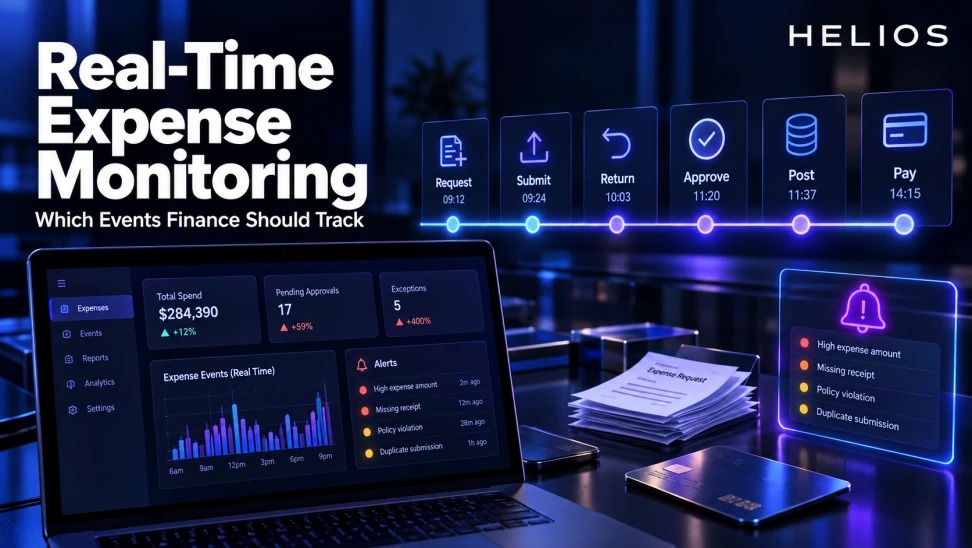
Useful monitoring follows the expense event stream from request and submission through return, approval, posting, and payment.
Define a canonical event model
For each event, record event ID, expense or claim ID, employee, entity, amount, currency, category, timestamp, actor, source system, prior status, new status, and reason.
Use consistent definitions across mobile, card, approval, ERP, and payment systems. If two systems use “approved” differently, map the states explicitly.
For related guidance, see duplicate detection across claims, invoices, and transactions.
Track request and submission events
Monitor high-value or restricted requests, approvals granted with conditions, submissions without required evidence, possible duplicates, and claims created long after the transaction.
Not every incomplete draft needs finance attention. Alert when a threshold, risk, or service commitment is affected.
Track returns and resubmissions
Capture structured return reasons, reviewer comments, time returned, employee action, resubmission time, and repeat returns.
Escalate aging items to the person who can act. A returned claim should not disappear from the approval queue without appearing in an employee-resolution view.
Track approval events
Record assignment, delegation, approval, rejection, send-back, escalation, comments, and conditions. Monitor claims waiting beyond service targets or repeatedly moving between approvers.
Use value and risk to set thresholds. A blanket alert for every pending item creates noise and trains teams to ignore the feed.
For related guidance, see expense automation reporting.
Track posting and reconciliation
Monitor export created, delivered, accepted, rejected, corrected, and reconciled events. Preserve the error code, affected mapping, retry history, and owner.
An approved expense is not financially complete if it never posts or posts to the wrong entity, account, tax code, project, or cost center.
Track reimbursement payment
Monitor payment instruction, scheduled date, execution, settlement, failure, return, cancellation, and employee notification where applicable.
Keep payout status distinct from expense approval. Finance should be able to identify approved claims that have not reached payment within the expected cycle.
Design alerts and dashboards
Use alert tiers for financial risk, employee impact, compliance, and operational delay. Every alert needs a threshold, recipient, action, escalation time, and closure state.
Dashboards should show inventory, flow, age, failure rate, and outcome by stage. Measure alert precision so the monitoring system does not become another unattended inbox.
How Helios supports employee expense visibility
Helios connects end-to-end expense status, approvals, accounting integration, reporting, and AI-assisted workflows. These capabilities can provide the underlying records for event monitoring, while exact refresh and notification behavior should be confirmed for the intended deployment.
For related guidance, see ERP integration test cases for expense systems.
- Capture expense and receipt events from employee workflows.
- Track submission, return, approval, and exception status.
- Apply policy checks and preserve decision context.
- Connect approved data with ERP and finance systems.
- Report expenses across organization, category, project, and status dimensions.
- Use workflow ownership and escalation to address aging items.
A practical conclusion
Real-time monitoring is useful when it tells finance what changed, why it matters, who can act, and when escalation is due. Track lifecycle events selectively and connect approval visibility with accounting and payment completion.
See how Helios can support this workflow. Request a Helios demo.
FAQ about real-time expense monitoring
Which employee expense events should finance track?
Track material request, submission, return, resubmission, approval, posting, reconciliation, payment, failure, and exception events.
Does real time always mean instant?
No. Refresh depends on the system and integration. Define acceptable latency for each event and confirm the product behavior.
What makes an expense alert actionable?
It has a clear threshold, reason, owner, required action, escalation time, and closure state.
Should finance receive every expense event?
No. Dashboards can retain the full stream, while alerts focus on risk, delay, employee impact, or financial incompleteness.
How do monitoring tools reduce reimbursement delays?
They expose aging returns, approval queues, payment failures, and ownership gaps early enough for the right team to act.
How does Helios support expense monitoring?
Helios provides workflow status, policy checks, approvals, integration, and multidimensional reporting. Confirm required refresh frequency and alerts during implementation.