
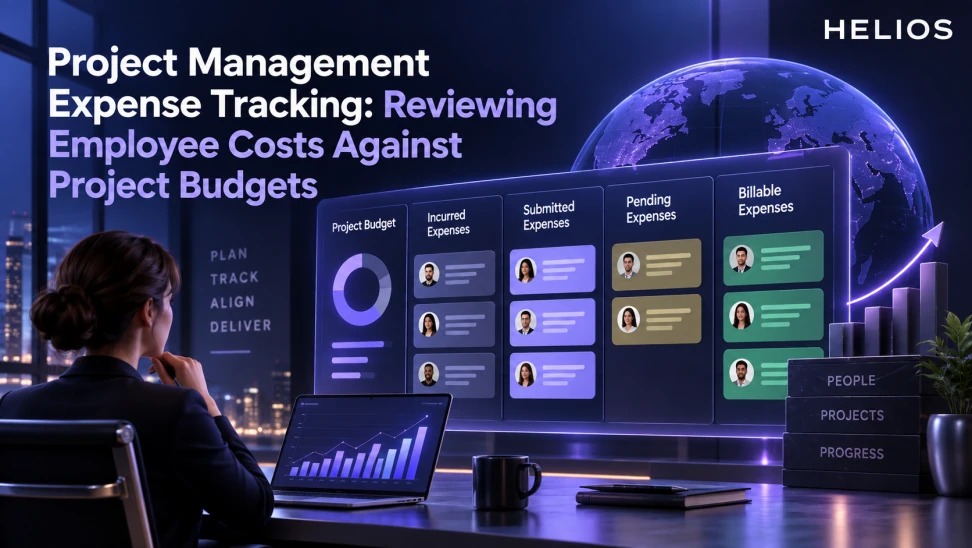
A weekly project-management expense tracking workflow for incurred, submitted, pending, posted, and customer-billable employee costs.
A practical framework for finance teams
A weekly project-management expense tracking workflow for incurred, submitted, pending, posted, and customer-billable employee costs.
Helios expense reporting can support project and cost-center review, but the confirmed scope does not replace full project management, resource planning, customer billing, or project-cost forecasting.
For related guidance, see split allocation by project.
The framework below starts with the business task, defines the required data and human responsibility, and sets a clear test for whether the workflow produces a useful finance outcome.
Project Management Expense Tracking at a glance
| Cost state | Definition | Budget treatment | Weekly action |
| Incurred | Employee has spent but may not have claimed | Estimate or accrual input | Prompt and validate |
| Submitted | Claim entered and awaiting review | Known pending cost | Review coding |
| Approved | Business and policy decision complete | Committed expense | Prepare accounting |
| Posted | Recorded in finance system | Actual | Reconcile |
| Billable | Potential customer recharge | Separate receivable workflow | Validate contract |
For related guidance, see automated expense tracking.
A useful workflow connects reliable inputs, accountable decisions, and measurable outcomes.
Define the project cost boundary
List employee-paid claims, corporate-card transactions, travel, local transport, meetings, project equipment, training, advances, refunds, and direct-paid costs that belong in the review.
Separate expense-system visibility from procurement, payroll, contractor, inventory, and capital costs. The project budget should state which channels it includes.
For related guidance, see billing travel expenses.
Use lifecycle states instead of one total
Track requested, incurred but unsubmitted, submitted, returned, approved, exported, posted, paid, reversed, and potentially billable amounts separately. Each state answers a different project question.
Choose transaction, service, approval, or posting date consistently. Prevent the same expense from appearing as both a pending commitment and an actual.
Run a weekly project review
Start with opening budget, approved changes, actuals, known pending costs, estimated unsubmitted costs, remaining budget, and material variance. Review oldest claims, missing project codes, and exceptions.
Assign each issue to the employee, manager, project lead, finance operations, accounting, or billing team with a due date.
Separate customer-billable costs
Billable status depends on the customer contract, authorization, caps, evidence, tax, and invoicing rules. It is different from whether an employee should be reimbursed.
Track reimbursed, billable, invoiced, disputed, credited, and collected amounts using stable expense-line references. Do not promise that the expense platform issues the client invoice.
For related guidance, see month-end expense accruals.
Explain variance and shared costs
Break project variance into volume, price, mix, timing, currency, scope change, misclassification, and late claims. Allocate shared expenses using a documented driver such as attendees, usage, headcount, or project benefit.
Reconcile allocations to the source total and preserve the original receipt, currency, tax, and approval.
Use a project-manager checklist
Confirm budget version, scope, date basis, currency, project code, owner, open requests, unsubmitted costs, approvals, exceptions, postings, billability, and risks.
Measure coding completeness, late claims, approval age, budget variance, billable leakage, reconciliation difference, and close readiness.
How Helios supports this workflow
Helios can connect mobile expense capture, multilingual OCR, configurable policy controls, role-based approvals, accounting preparation, integration, multidimensional reporting, and confirmed Spark AI conversational scenarios. Voice input, predictive cleaning, autonomous decisions, project forecasting, asset management, procurement, and subscription or cloud-cost optimization should not be assumed and require separate validation.
For related guidance, see expense automation reporting.
- Capture project-related employee expenses on mobile.
- Use OCR to structure receipt data.
- Collect project, client, cost center, purpose, and allocation fields.
- Apply role-based policies and approvals.
- Report expenses by project and lifecycle status.
- Prepare approved records for accounting and separate billing handoffs.
A practical conclusion
Start with a narrow task and reliable data. Give employees and reviewers a clear next step, preserve corrections and exceptions, and measure whether the process improves accuracy, speed, control, and business decisions.
See how Helios can support this workflow. Request a Helios demo.
FAQ
What is project management expense tracking?
It is the recurring review of employee costs by project, lifecycle status, budget treatment, owner, and required action.
Which expense states should a project manager review?
Review incurred, submitted, returned, approved, posted, paid, reversed, and potentially billable amounts separately.
How should unsubmitted costs appear?
Use a documented estimate or accrual input and remove it when the actual claim is recorded to prevent double counting.
Are reimbursable expenses automatically billable?
No. Customer billing depends on the contract, authorization, evidence, limits, tax, and invoice process.
Which weekly metrics matter?
Track budget variance, missing project codes, late claims, approval age, billable leakage, reconciliation difference, and close readiness.
How can Helios help?
Helios supports capture, OCR, project fields, policies, approvals, reporting, accounting preparation, and integration.